In This Article
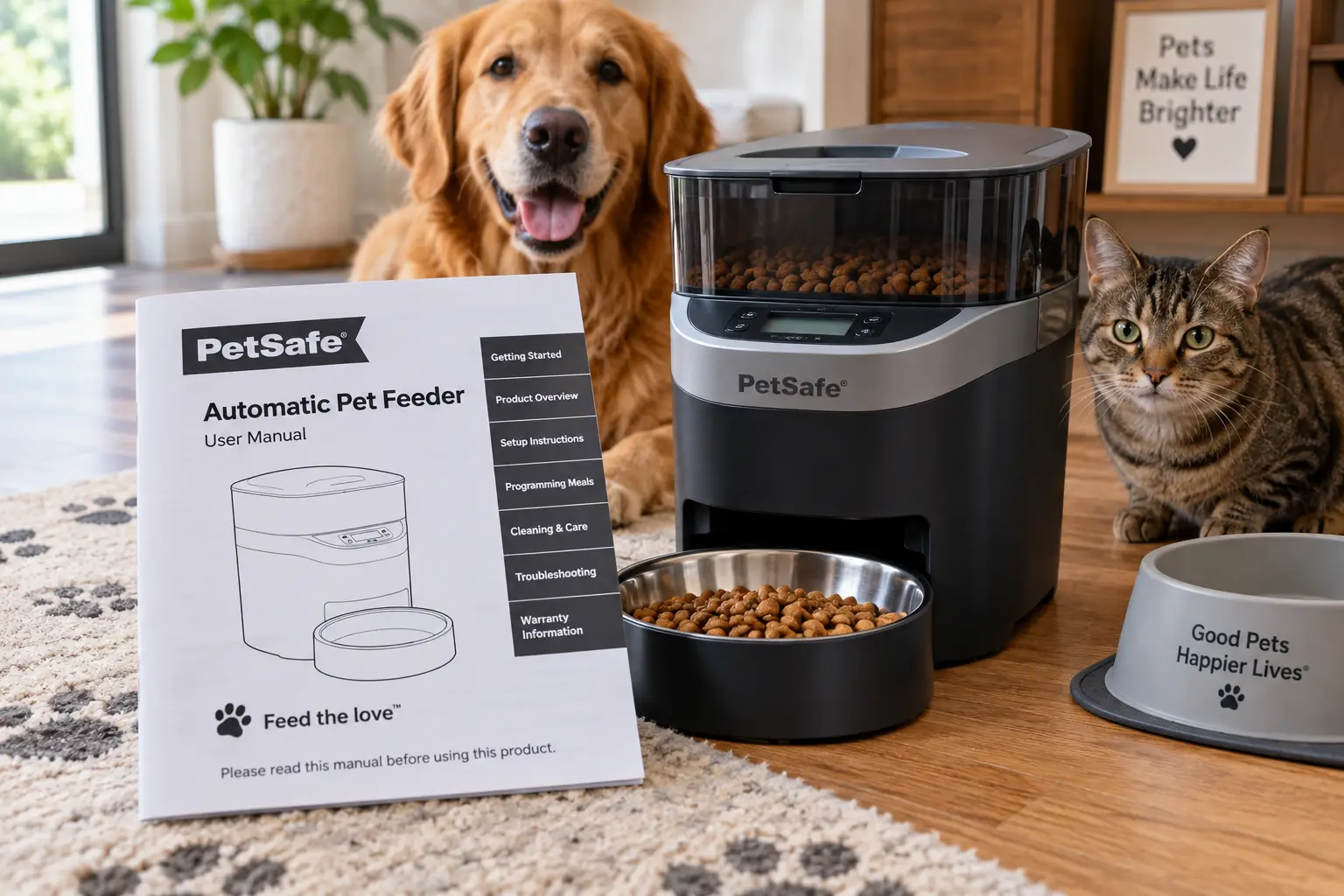
If you just typed “petsafe pet feeder manual” into Google at 6 a.m. because your dog is staring at an empty bowl and the app won’t connect, you’re not alone. Automatic feeders promise convenience, but the instructions that come in the box are often a folded half-sheet of paper that assumes you already know what a “conveyor prime” is. This guide pulls together the actual setup steps, common troubleshooting fixes, and a side-by-side look at seven real automatic feeders currently sold in the US — including three PetSafe models and four well-reviewed competitors — so you can either get your existing feeder running correctly or decide whether it’s time to upgrade.
We’re not just rehashing a spec sheet here. Every product below includes honest analysis based on published specifications and aggregated customer feedback, so you can weigh trade-offs like hopper capacity, jam frequency, and app reliability before you buy — or before you spend another hour wrestling with a device you already own. Consistent portion timing matters for more than convenience, too: Cornell University’s College of Veterinary Medicine points to free-choice feeding, rather than portioned meals, as one of the most common causes of obesity in otherwise healthy dogs. A properly programmed feeder is one of the simplest tools for fixing that.
Below, you’ll find a quick comparison table, in-depth reviews of all seven feeders, a full setup and troubleshooting walkthrough, and answers to the buying questions people search for most.
What Is a PetSafe Pet Feeder Manual?
A PetSafe pet feeder manual is the official instruction booklet (or downloadable PDF) that covers setup, app pairing, priming, cleaning, and troubleshooting for a specific PetSafe model — the Smart Feed, Simply Feed, or 5 Meal Pet Feeder are the most common. Each model has its own manual because button layouts, hopper capacity, and reset procedures differ between them.
Quick Comparison: 7 Automatic Pet Feeders at a Glance
| Feeder | Power | Hopper / Meals | Best For |
|---|---|---|---|
| PetSafe Smart Feed | Outlet + D-cell backup | 24 cups / up to 12 meals | Wi-Fi households wanting Alexa control |
| PETLIBRO Granary Camera Feeder | Outlet + D-cell backup | ~21 cups / up to 6 meals | Owners who want to see and talk to their pet |
| PetSafe Simply Feed | Outlet + D-cell backup | 24 cups / up to 12 meals | App-free scheduling with a big hopper |
| WOpet Sprite II 7L Smart Feeder | Outlet + battery backup | ~28 cups / up to 4 meals | Multi-pet homes wanting app control on a budget |
| Arf Pets Smart WiFi Camera Feeder | Outlet + D-cell backup | ~29 lb capacity | Long weekends away with a large-breed dog |
| PetSafe 5 Meal Pet Feeder | Battery only | 5 cups / up to 5 meals | Simple, no-frills portion control |
| Cat Mate C500 | Battery only (3 AA) | 5 compartments / 5 meals | No outlet nearby, wet or dry food |
Looking at the table, the split comes down to connectivity versus simplicity: the PetSafe Smart Feed, PETLIBRO Granary Camera Feeder, WOpet Sprite II 7L Smart Feeder, and Arf Pets Smart WiFi Camera Feeder all trade a little extra setup time for app-based scheduling and remote monitoring, while the PetSafe 5 Meal Pet Feeder and Cat Mate C500 skip Wi-Fi entirely in favor of a digital timer you program once and forget. The PetSafe Simply Feed sits in between, offering the same 24-cup hopper as the Smart Feed without requiring an app at all.
💬 One click helps other shoppers make an informed choice too! 😊
Top 7 PetSafe and Competitor Pet Feeders: Expert Analysis
1. PetSafe Smart Feed — best overall Wi-Fi feeder
The PetSafe Smart Feed earns its spot at the top of this list because it’s the most complete package: a 24-cup hopper, app-based scheduling for up to 12 meals a day, and native Amazon Alexa support that lets you say “Alexa, feed the dog” and trigger an immediate meal.
On paper, the 6-liter hopper and 1/8-cup to 4-cup portion range mean it works for anything from a finicky cat to a large, food-motivated Labrador. The patented anti-jam conveyor design is the feature that matters most in practice — it’s what separates this from cheaper paddle-style feeders that clog on oddly shaped kibble. The Slow Feed mode, which spreads a meal’s dispensing over several minutes, is a genuine fix for dogs that inhale their food and then vomit it back up minutes later.
This model is best for households that already have a stable 2.4GHz Wi-Fi network and want the reassurance of remote monitoring and low-food alerts, rather than owners who prefer a device with zero digital dependencies.
Reviews consistently report that the Smart Feed’s core scheduling is reliable over the long term, and several sources single out its dishwasher-safe bowl and conveyor as easier to keep clean than paddle-driven competitors. A recurring complaint is that persistent cats can learn to press the manual feed button themselves — a minor design quirk rather than a functional flaw.
Pros:
- ✅ Native Alexa integration for voice-activated meals
- ✅ Anti-jam conveyor handles most kibble shapes reliably
- ✅ Dishwasher-safe bowl, hopper, and conveyor parts
Cons:
- ❌ Requires a stable 2.4GHz Wi-Fi connection to function fully
- ❌ Clever cats can occasionally trigger the manual feed button
The PetSafe Smart Feed typically runs in the $130-$140 range on amazon.com; check the current price, as it can shift with promotions. Given the hardware quality and Alexa support, it’s a strong value for anyone who wants a genuinely smart feeder rather than a glorified timer.
2. PETLIBRO Granary Camera Feeder — best for remote monitoring
The PETLIBRO Granary Camera Feeder distinguishes itself with a 1080p camera and two-way audio built directly into the unit, letting you watch and talk to your pet at mealtime from anywhere.
The rotor-based dispensing mechanism is worth calling out specifically: it handles a wider range of kibble shapes than paddle-style feeders, though very large kibble over about 15mm in diameter can still cause occasional jams. The sealed hopper and twist-lock lid also make between-meal raiding meaningfully harder than an open-top gravity feeder, which matters if you have a dog that treats every feeder as a puzzle to solve.
This model is best for owners who specifically want visual confirmation that their pet ate, not just a notification that a meal dispensed — the camera and audio are the whole point of paying the premium over a non-camera Granary variant.
Aggregated reviews highlight the dual-band Wi-Fi as more stable than many competitors’, reducing the dropped-connection frustration common with 2.4GHz-only feeders. On the downside, some owners note the plastic hopper can retain food odors over time if it isn’t cleaned regularly, and the camera adds a subscription-adjacent cloud storage option that isn’t strictly required but is easy to overlook during setup.
Pros:
- ✅ 1080p camera with two-way audio for real-time check-ins
- ✅ Sealed rotor design resists between-meal raiding
- ✅ Dual-band Wi-Fi is more stable than single-band competitors
Cons:
- ❌ Plastic hopper can retain odors without regular cleaning
- ❌ Very large or irregular kibble can still jam the rotor
Expect the PETLIBRO Granary Camera Feeder to fall somewhere between $130 and $145 at the time of writing; prices may vary by bundle (single vs. dual bowl). For the camera and audio alone, it’s a fair trade against the Smart Feed if remote monitoring is your top priority.
3. PetSafe Simply Feed — best app-free simplicity
The PetSafe Simply Feed is, functionally, the Smart Feed’s sibling with the Wi-Fi module removed — and for a specific kind of owner, that’s exactly the appeal.
You program up to 12 meals a day and portions from 1/8 cup to 4 cups directly on the unit, with no app to download, no account to create, and no cloud server that can go down and interrupt your pet’s dinner. It shares the same 24-cup hopper and Slow Feed mode as the Smart Feed, so the core feeding experience is identical — you’re only giving up remote scheduling and phone notifications.
This is the right pick for owners who found smart-home feeders more stressful than helpful, or who simply don’t want another app competing for phone storage and notification permissions.
Reviewers consistently describe the on-unit programming as refreshingly straightforward compared to app-based rivals, and the dishwasher-safe components carry over from the Smart Feed. The trade-off, unsurprisingly, is that you lose any way to check remotely whether a meal actually dispensed — if you’re traveling, you’re relying entirely on the schedule you set before you left.
Pros:
- ✅ No app, account, or Wi-Fi dependency required
- ✅ Same 24-cup hopper and Slow Feed mode as the Smart Feed
- ✅ Straightforward on-unit programming buttons
Cons:
- ❌ No remote monitoring or feeding confirmation while away
- ❌ No voice assistant integration
Pricing for the PetSafe Simply Feed generally sits around $95 to $100 on amazon.com at the time of writing. For a large-capacity, low-complexity feeder, that’s competitive value against smaller battery-only models.
4. WOpet Sprite II 7L Smart Feeder — best value smart pick
The WOpet Sprite II 7L Smart Feeder distinguishes itself with a roughly 28-cup capacity and app-based scheduling at a price that consistently undercuts the PetSafe and PETLIBRO smart models.
Its dual-power design — wall outlet with battery backup — plus a splitter that can divide portions between two bowls makes it a practical pick for two-cat households that want to avoid one cat eating the other’s share. The voice recorder is a genuinely useful feature for separation-anxious pets, letting you play your own “dinner time” call even when you’re not home, though some owners find the playback volume too quiet to be effective.
This feeder is best for budget-conscious multi-pet households that still want app control, rather than owners chasing the most polished hardware on the market.
What most buyers overlook here is the 2.4GHz-only Wi-Fi requirement — reviews note it can be finicky with newer mesh routers that default to 5GHz, so initial setup sometimes takes more patience than PetSafe’s app pairing. Once connected, though, aggregated feedback describes portion accuracy and schedule reliability as solid for the price point.
Pros:
- ✅ Roughly 28-cup capacity feeds multiple pets longer between refills
- ✅ Dual-bowl splitter useful for two-cat households
- ✅ Noticeably lower price than comparable smart feeders
Cons:
- ❌ 2.4GHz-only Wi-Fi can be finicky with modern mesh routers
- ❌ Voice recorder playback volume is quieter than expected
The WOpet Sprite II 7L Smart Feeder typically lands between $85 and $95 on amazon.com; prices may vary by color and bundle. For the capacity and app control offered, it’s one of the stronger value plays in this roundup.
5. Arf Pets Smart WiFi Camera Feeder — best for large-breed dogs
The Arf Pets Smart WiFi Camera Feeder stands out for sheer capacity, holding up to roughly 29 pounds of dry kibble — enough to cover an extended trip without a refill, even for a larger dog.
It pairs a built-in HD camera with app-based scheduling and a dual power setup (wall outlet plus D-cell battery backup), so a brief power outage won’t wipe your programmed meals. The airtight lid is a meaningful detail for households with persistent dogs, since it genuinely resists prying paws and noses better than a simple snap-on cover.
This model is best for large-breed dog owners who need weeks, not days, between refills, and who also want the peace of mind of a camera check-in — it’s less suited to small apartments where a 29-pound hopper is overkill.
Aggregated feedback is largely positive on reliability and capacity, with the camera singled out as a genuine comfort feature rather than a gimmick. The most common complaint across reviews is that the non-WiFi companion model’s clock can drift and needs periodic resetting; the smart WiFi version largely avoids this since scheduling lives in the app rather than an onboard clock.
Pros:
- ✅ Roughly 29-lb capacity is the largest in this lineup
- ✅ Built-in HD camera with two-way voice recording
- ✅ Dual power setup protects schedules through outages
Cons:
- ❌ Large footprint isn’t ideal for small apartments
- ❌ Bowl and portion sizes run small relative to the hopper size
Expect to pay somewhere around $90 to $110 for the Arf Pets Smart WiFi Camera Feeder at the time of writing. For large or multiple dogs, the capacity alone can justify the price over smaller competitors.
6. PetSafe 5 Meal Pet Feeder — best budget digital timer
The PetSafe 5 Meal Pet Feeder (also sold as the Eatwell 5-Meal Feeder) strips automatic feeding down to its simplest, most affordable form: a rotating tray with five 1-cup compartments and a digital timer.
One meal is ready to eat immediately when you fill the tray, and the other four dispense on a schedule you set down to the minute using onboard digital buttons — no app, no Wi-Fi, no account. Wirecutter’s testing team has repeatedly named this exact model the best automatic feeder for cats and small dogs after extended use, citing its accuracy and ease of operation as standout traits for the price.
This is the right choice for owners who want dependable portion control for a cat or small dog without paying for smart features they won’t use, rather than anyone feeding a large dog or wanting remote access.
Reviews consistently praise the dishwasher-safe tray and the feeder’s tamper-resistant cover, which keeps determined cats from accessing food ahead of schedule. The trade-offs are capacity and flexibility: with only 5 cups total and a maximum of 5 meals, it isn’t built for large dogs or households wanting fine-grained portion adjustments.
Pros:
- ✅ Wirecutter-tested and repeatedly recommended for accuracy
- ✅ Simple digital timer with no app or account required
- ✅ Dishwasher-safe, tamper-resistant tray
Cons:
- ❌ Only 5 cups total capacity across all compartments
- ❌ Not suitable for large or multiple dogs
The PetSafe 5 Meal Pet Feeder is one of the most affordable options here, generally priced under $60 on amazon.com. For a cat or small dog household prioritizing reliability over features, it’s hard to beat on value.
7. Cat Mate C500 — best for no-outlet flexibility
The Cat Mate C500 is the one feeder in this lineup that runs entirely on batteries, with no outlet option at all — a deliberate design choice that makes it genuinely portable between rooms or homes.
Three AA batteries power a digital timer that schedules up to four additional meals beyond the first, ready-to-eat portion, and two included ice packs keep wet or semi-moist food fresh for roughly 12 to 24 hours. That wet-food compatibility is a real differentiator versus most dry-food-only feeders on this list, including every PetSafe model here.
This feeder is best for cat owners who feed wet or mixed diets and don’t have an outlet near the feeding station, rather than dog owners needing large portions or Wi-Fi convenience.
Aggregated customer feedback reports battery life of up to 12 months with quality alkaline batteries, though several reviewers note the lack of a low-battery indicator on the LED display can cause a missed meal if batteries die unexpectedly. Some also mention the initial programming interface takes a few tries to get comfortable with.
Pros:
- ✅ Only battery-only feeder in this list, fully portable
- ✅ Supports wet food with two included ice packs
- ✅ Tamper-resistant lid with board-mount option for extra stability
Cons:
- ❌ No low-battery warning indicator on the display
- ❌ Programming interface has a learning curve at first
Pricing for the Cat Mate C500 varies fairly widely by retailer, generally landing somewhere in the $45 to $65 range; check the current price before buying, since third-party sellers can price it well above or below that band. For wet-food feeding away from an outlet, it remains one of the only real options.
Comparing the Full Lineup: Features and Value
| Feeder | Wi-Fi / App | Wet Food OK | Approx. Price | Best For |
|---|---|---|---|---|
| PetSafe Smart Feed | Yes, Alexa-compatible | No | $130-$140 | Alexa households |
| PETLIBRO Granary Camera Feeder | Yes, camera + audio | No | $130-$145 | Remote monitoring |
| PetSafe Simply Feed | No | No | $95-$100 | App-free reliability |
| WOpet Sprite II 7L Smart Feeder | Yes | No | $85-$95 | Multi-cat value |
| Arf Pets Smart WiFi Camera Feeder | Yes, camera | No | $90-$110 | Large-breed dogs |
| PetSafe 5 Meal Pet Feeder | No | Semi-moist only | Under $60 | Budget simplicity |
| Cat Mate C500 | No | Yes | $45-$65 | Wet food, no outlet |
Read across this table and the pattern is clear: paying more generally buys you connectivity (Wi-Fi, camera, Alexa) rather than better core mechanics, since the anti-jam and portion-accuracy improvements plateau once you’re past the budget tier. If wet food is non-negotiable for your pet, the Cat Mate C500 is functionally your only choice on this list, which changes the calculation regardless of price. For most dry-food households, the decision really comes down to whether remote monitoring is worth $70-$80 more than the PetSafe Simply Feed or PetSafe 5 Meal Pet Feeder.
✨ Don’t miss these exclusive deals! 🔍 Take your pet’s feeding routine to the next level with this carefully curated lineup. Click a highlighted item to check current pricing and availability. These picks will help you keep your pet fed on time, every time!
How to Set Up and Program a PetSafe Pet Feeder
Every PetSafe model follows roughly the same sequence, though the exact button layout differs between the Smart Feed, Simply Feed, and 5 Meal Feeder.
- Unbox and assemble before adding food. Lock both hopper latches, attach the bowl and bowl holder, and confirm the conveyor belt lip aligns with the arrows on the side, if your model uses a conveyor system.
- Power up first. Plug in the power adapter, and optionally install D-cell alkaline batteries for backup power in case of an outage. Batteries are backup only, not the primary power source, on outlet-powered models.
- Complete app pairing before filling the hopper. For the Smart Feed, download the “My PetSafe” app, create an account, and follow the on-screen Wi-Fi pairing steps — place the feeder near your router during this step to avoid a weak signal interrupting setup.
- Fill the hopper and prime the conveyor. Pour in dry or semi-moist kibble, level it, and replace the lid. Then press and hold the manual feed button until food starts dispensing into the bowl. This step is easy to skip and is the single most common cause of inaccurate first-meal portions.
- Set your feeding schedule. Use the app (Smart Feed) or onboard buttons (Simply Feed, 5 Meal Feeder) to program meal times and portion sizes, and enable Slow Feed mode if your pet eats too quickly.
One detail that trips up a lot of new owners: the conveyor must be re-primed any time the hopper runs low, not just during initial setup, or the next few scheduled meals may come out smaller than programmed.
PetSafe Pet Feeder Troubleshooting: Common Problems and Fixes
| Problem | Likely Cause | Fix |
|---|---|---|
| Feeder won’t power on | Loose power connection | Check the outlet with another device; confirm the cord is fully seated |
| App won’t connect to Wi-Fi | Feeder too far from router, or 5GHz network selected | Move the feeder near the router during setup; confirm your network is 2.4GHz |
| Meal sizes look wrong | Conveyor not primed after refill | Hold the manual feed button until food flows, then re-check portion settings |
| Feeder shows a jam error | Oversized or irregular kibble stuck in the mechanism | Remove the bowl and hopper, clear visible obstructions, and avoid very large kibble going forward |
| Pet is triggering extra meals | Manual feed button accessible to a persistent pet | Reposition the feeder or check if your model has a button-lock setting in the app |
The jam and Wi-Fi issues account for the large majority of support requests across PetSafe and competitor models alike, and both are usually fixable in under five minutes without contacting customer care.
If none of these fixes work, a full reset returns the feeder to setup mode: press and hold the reboot or reset button with a paper clip for eight or more seconds until the LED turns solid white. This clears all programmed meals and settings, so you’ll need to reprogram the schedule from scratch afterward.
Real-World Scenarios: Matching a Feeder to Your Pet
The commuting cat owner. If you’re gone 9 to 10 hours a day with one indoor cat prone to fast eating, the PetSafe 5 Meal Pet Feeder or PetSafe Simply Feed covers your needs without paying for app features you’ll rarely check mid-shift. Slow Feed mode on the Simply Feed directly addresses the fast-eating issue.
The multi-pet household on a budget. Two cats, one dog, and a schedule that changes week to week call for the split-bowl capability and lower price of the WOpet Sprite II 7L Smart Feeder, which lets you adjust portions per pet from your phone without buying two separate units.
The frequent traveler with a large dog. Weekend trips or work travel with a food-motivated large-breed dog point toward the Arf Pets Smart WiFi Camera Feeder or PetSafe Smart Feed, both for the larger capacity and the ability to confirm meals dispensed while you’re away.
How to Choose a PetSafe Pet Feeder (or Any Automatic Feeder)
- Match hopper capacity to your pet’s size and trip length. A 5-cup feeder is fine for a week of daily refills but won’t survive a long weekend away for a large dog.
- Decide if wet food matters. Most feeders, including every PetSafe model in this guide, handle dry or semi-moist food only — if wet food is part of the diet, the Cat Mate C500 is one of the few realistic choices.
- Weigh Wi-Fi convenience against reliability concerns. App control adds remote monitoring but also adds a dependency on your home network staying up.
- Check the kibble size compatibility. Rotor and paddle mechanisms both have upper limits on kibble diameter; oversized kibble is the leading cause of dispensing jams across every brand in this roundup.
- Consider power backup. Outlet-powered feeders with D-cell battery backup protect your schedule through outages; battery-only models like the 5 Meal Feeder or Cat Mate C500 avoid outages entirely but need regular battery checks.
- Factor in cleaning requirements. Dishwasher-safe bowls and trays save real time over models requiring hand-washing every day.
Common Mistakes to Avoid When Buying or Using an Automatic Pet Feeder
Skipping the priming step is the single most common setup mistake, and it’s the reason so many people search for a PetSafe pet feeder manual in the first place — the first few “programmed” meals come out short or empty because the conveyor was never primed after filling. Buying based on price alone without checking your pet’s typical kibble size is a close second; oversized kibble jams even the best mechanisms on this list. Finally, plenty of owners skip registering their feeder’s warranty, which on models like the Cat Mate C500 extends coverage to three years at no cost beyond a few minutes of paperwork.
Automatic Feeders vs. Free Feeding: What Changes for Your Pet
| Factor | Automatic Feeder | Free Feeding (bowl always full) |
|---|---|---|
| Portion control | Precise, scheduled amounts | None; pet self-regulates |
| Obesity risk | Lower with proper programming | Higher, especially in cats |
| Food freshness | Maintained via sealed hopper | Degrades once bowl is exposed to air |
| Multi-pet fairness | Can separate portions per pet | One pet can dominate the bowl |
The obesity gap between these two approaches isn’t theoretical. A study published via the National Institutes of Health’s PubMed Central found that a pet-separating automatic feeder, combined with more frequent, smaller meals, made a weight-loss program noticeably easier for owners to sustain in multi-cat households, largely because it removed the guesswork around which cat ate how much. Switching from free feeding to a scheduled automatic feeder is one of the more evidence-backed changes an owner can make without a vet visit, though the study also notes automated feeders alone didn’t eliminate all food-seeking behavior — portion sizes still matter more than the delivery mechanism.
What to Expect: Everyday Performance
Day to day, the difference between a $60 feeder and a $140 feeder is less about whether food comes out on time — nearly all seven models here do that reliably once set up correctly — and more about what happens when something goes wrong while you’re not home. A jam on the PetSafe 5 Meal Pet Feeder just means a missed meal until you get home to check it. The same jam on the PetSafe Smart Feed or PETLIBRO Granary Camera Feeder triggers a push notification, so you can call a neighbor or adjust remotely. That real-time visibility is the actual product you’re paying for with the smart-connected models, not faster or more accurate dispensing.
Long-Term Cost and Maintenance
Beyond the sticker price, ongoing costs are modest but worth budgeting for. D-cell or AA batteries for backup power run a few dollars every 6 to 12 months depending on the model. Replacement stainless steel bowls or conveyor belts, if something cracks or wears out after a year or two of daily use, typically run $15 to $30 through PetSafe’s own parts store rather than requiring a full replacement unit. Dishwasher-safe parts reduce the time cost of ownership meaningfully — hand-washing a tray daily adds up over a year in a way that’s easy to underestimate when you’re comparing sticker prices alone. Proper hopper cleaning also protects your investment in the food itself: the FDA recommends keeping dry kibble in a cool, dry space and washing storage containers between refills to prevent rancid residue from contaminating fresh food, a step that applies directly to feeder hoppers as well as bags and bins.
Safety, Regulations, and Standards
Automatic feeders are low-voltage electronics that sit near food and water, so a few safety basics apply regardless of brand. Look for feeders with a UL or ETL listing on the power adapter, which confirms the electrical components meet recognized US safety standards. Keep the base unit away from water exposure entirely — PetSafe’s own guidance explicitly warns against submerging the control panel or base, since this can damage internal electronics and create a shock risk. It’s also worth periodically checking the Consumer Product Safety Commission’s recall database for any pet electronics recalls, since battery-powered devices are occasionally subject to safety notices for overheating or battery-compartment issues, even though none of the seven feeders in this guide currently carry an active recall.
Frequently Asked Questions
❓ Where can I find the PetSafe pet feeder manual for my specific model?
❓ How do I reset a PetSafe Smart Feed that won't connect to Wi-Fi?
❓ Is the PetSafe 5 Meal Pet Feeder dishwasher safe?
❓ How much does a PetSafe automatic pet feeder cost?
❓ Can I use a PetSafe pet feeder for wet food?
Conclusion
Whether you landed here hunting for your specific petsafe pet feeder manual or comparing feeders from scratch, the core decision comes down to two questions: how much capacity and connectivity do you actually need, and does your pet eat dry, semi-moist, or wet food? For most dry-food households wanting real convenience, the PetSafe Smart Feed remains the most complete option, while the PetSafe Simply Feed and PetSafe 5 Meal Pet Feeder cover anyone who’d rather skip the app entirely. If wet food or camera monitoring are non-negotiable, the Cat Mate C500 and PETLIBRO Granary Camera Feeder fill those specific gaps better than any PetSafe model currently does. Whatever you choose, the setup and troubleshooting steps above apply broadly enough to save you a frustrating first week, no matter which feeder ends up on your counter.
✨ Ready to fix mealtime for good? Compare today’s prices on these seven feeders and pick the one that matches your pet’s routine — your future self (and your pet) will thank you. 🐾
Recommended for You
- Extra Large Dog Water Dispenser: 7 Best Picks for Big Dogs (2026)
- Best Dog Bowls for French Bulldogs: 7 Vet-Smart Picks (2026)
- Self Cleaning Dog Water Bowl: 7 Best Picks for 2026 (No More Slime)
Disclaimer: This post contains affiliate links. As an Amazon Associate, I earn from qualifying purchases made through these links, at no additional cost to you.
✨ Found this article helpful? Share it with someone who needs it! 💬🤗