
In This Article
Why an Auto Cat Treat Dispenser Changes Your Cat’s Day
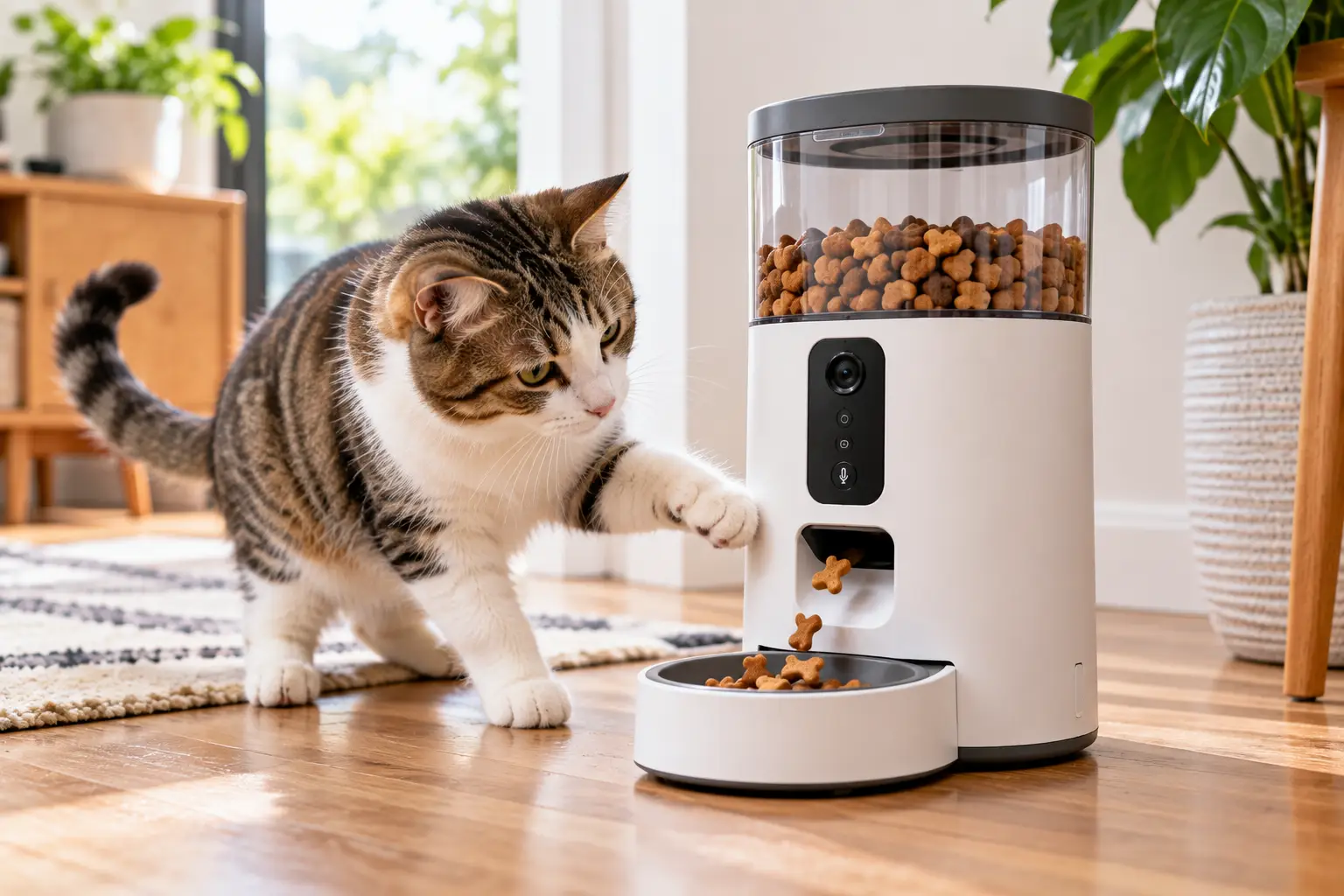
Your cat doesn’t care that your meeting ran long. At 3 p.m., they’re parked by the door, bored and wondering where the snacks went. That’s exactly the gap an auto cat treat dispenser fills: it hands out small rewards on a schedule, or at the tap of a phone screen, so your cat gets a little excitement and routine even when the house is empty. 🐾
Here’s the catch, though. The category is messy. Some “dispensers” are really pet cameras that fling treats across the room. Others are rotating trays that simply uncover a compartment at a set time. A few even roll around your living room like a tiny owl-shaped security guard. Each solves a different problem, and buying the wrong type is the fastest way to end up with a gadget unplugged in a closet.
There’s also a health angle most product listings skip. The Cornell Feline Health Center describes obesity as the most frequently observed nutritional disorder in domestic cats, so a machine that hands out snacks needs a calorie budget behind it, not an all-you-can-eat attitude.
This guide compares seven real models you can find on amazon.com, explains what their specs mean in everyday life, and shows you how to set one up so it helps your cat rather than widening them. Every verdict below is built on spec sheets, manufacturer support documents, published reviews, and aggregated customer feedback, never on invented hands-on claims.
What Is an auto cat treat dispenser?
An auto cat treat dispenser is a device that releases small, measured portions of dry treats (or, in tray-style models, food and treats) without you being there. Depending on the model, it runs on a programmed timer, a smartphone app, or both, often adding a camera, two-way audio, and motion alerts.
Quick Comparison: 7 Auto Cat Treat Dispensers at a Glance
| Product | Type | How Treats Are Triggered | Standout Feature | Price Range | Best For |
|---|---|---|---|---|---|
| Petcube Bites 2 Lite | Camera + treat tosser | App, manual or scheduled | 1.5 lb treat hopper | ~$60–$150 | Petcube Bites 2 Lite: scheduled daily treats |
| Furbo 360° Cat Camera | Rotating camera + tosser | App, manual toss | 360° view + feather wand toy | Under $100–~$200 (bundle-dependent) | Furbo 360° Cat Camera: watching the whole room |
| eufy Pet Camera D605 | Rotating camera + tosser | App, 3 toss distances | Free 16 GB local storage | ~$150–$250 | eufy Pet Camera D605: no-subscription video |
| Geeni Pet Treat Dispenser with Camera | Auto-follow camera + tosser | App, manual toss | 2K video | ~$60–$100 | Geeni Pet Treat Dispenser with Camera: tight budgets |
| SKYMEE Owl Robot | Mobile robot + dispenser | App, play-triggered | Drives around your home | ~$150–$200 | SKYMEE Owl Robot: high-energy young cats |
| Catit PIXI Smart 6-Meal Feeder | Timed tray | App or touch panel schedule | 6 programmable trays | ~$100–$180 | Catit PIXI Smart 6-Meal Feeder: strict portion control |
| Cat Mate C500 | Timed tray, no Wi-Fi | Digital timer | 5 compartments, ice packs | ~$40–$60 | Cat Mate C500: simple, app-free schedules |
Looking at the table, the split is really between “interaction” and “routine.” The Petcube Bites 2 Lite, Furbo 360° Cat Camera, and eufy Pet Camera D605 let you see your cat and reward them in real time, while the Catit PIXI Smart 6-Meal Feeder and Cat Mate C500 quietly deliver the same portion at the same minute every day. If you mostly want peace of mind, buy a camera; if you mostly want discipline around snacks, a timed tray will serve you better for less money.
💬 One click helps other shoppers make an informed choice too! 😊 Tap any highlighted product to check its current price and availability.
Top 7 Auto Cat Treat Dispensers: Expert Analysis
Each pick below is judged on what its specs mean for a real cat in a real home: treat size limits, refill frequency, connectivity quirks, and hidden ongoing costs. Where reviews are mentioned, they reflect aggregated sentiment from published reviews and retailer feedback, not invented quotes.
1. Petcube Bites 2 Lite — best all-rounder for scheduled treats
The Petcube Bites 2 Lite earns the top spot because it does something many camera models handle poorly: it tosses treats on a schedule you set in the app, not just when you remember to open your phone.
It streams 1080p HD video through a 160° wide-angle lens with night vision and two-way audio, and its hopper holds about 1.5 lb of crunchy treats. In practice, that fixed wide lens covers most of a living room without a pan motor, so there’s nothing to wear out, though it can’t follow a cat who wanders off-frame. Petcube asks for crunchy treats about 1 inch (2.5 cm) or smaller, ideally round, and the unit only connects to 2.4 GHz Wi-Fi.
Based on comparing the specs, this is the model for the owner who wants a predictable “3 p.m. snack break” for a cat home alone eight-plus hours. The optional Petcube Care plan adds cloud video history, but treat tossing and scheduling don’t depend on it.
Reviews consistently report even, reliable treat distribution; the most common complaint involves lag when the app connects to the camera.
Pros:
- ✅ Scheduled tossing runs without you opening the app
- ✅ Large hopper means fewer refills than compact rivals
- ✅ Wall-mount kit keeps it away from curious paws
Cons:
- ❌ No 5 GHz Wi-Fi support at all
- ❌ Fixed lens cannot pan or track movement
💲 Usually between $60 and $150 depending on promotions; check the current price, because at the lower end it’s outstanding value.
2. Furbo 360° Cat Camera — rotating view with a built-in play toy
The Furbo 360° Cat Camera is one of the few treat-tossing cameras designed specifically for cats rather than adapted from a dog model.
You get 1080p video, a rotating 360° view, treat tossing from the app, and a feather wand toy in the box. The rotation matters in multi-room open layouts, since you can sweep the camera instead of guessing where your cat went. Furbo recommends dry, firm treats roughly 0.3 to 0.5 inch, and its launcher automatically reverses and retries if a toss fails, which reduces jams. Smart alerts sit behind the Furbo Nanny subscription, priced from about $6.99 a month on Furbo’s comparison page.
Here’s what to weigh: as Consumer Reports observed when trying a Furbo with a cat, cats often spend much of the day asleep, so this camera shines with food-motivated, curious cats and disappoints with aloof nappers.
Owner feedback generally praises the rotating view, while treat-size sensitivity is a recurring theme.
Pros:
- ✅ Cat-specific design with an included play wand
- ✅ 360° rotation covers blind corners
- ✅ Auto-reverse launcher clears most jams itself
Cons:
- ❌ Best features require an ongoing subscription
- ❌ Picky about treat size and firmness
💲 Pricing varies widely by bundle, from under $100 with a subscription plan to roughly $200 without; compare total yearly cost before buying.
3. eufy Pet Camera D605 — best AI tracking with free local storage
The eufy Pet Camera D605 stands out because it records to free built-in storage, so you’re not pushed into a monthly plan just to replay clips.
Its 1080p camera sits on a 270° rotatable body with AI motion tracking and night vision, and its patented anti-clog launcher tosses treats at three distances. Free 16 GB local storage means you can review that mysterious 2 a.m. crash without a cloud fee. You can even customize the sound it plays before each toss, which is handy for building a cue your cat associates with rewards.
On paper, this is the strongest pick for tech-savvy owners who hate subscriptions. It’s marketed for dogs, but small dry cat treats work, and tracking helps with cats who patrol the house.
Reviewed named it its best overall pet camera for tracking and free storage, while noting its laser-play sound can be loud; K9 of Mine flagged scheduled treat delivery as its weak spot.
Pros:
- ✅ Free local video storage, no subscription needed
- ✅ AI tracking follows a wandering cat
- ✅ Three toss distances keep the game varied
Cons:
- ❌ Scheduled treat routines are not its strength
- ❌ Dog-first design and noisier operation
💲 Typically in the $150–$250 range at the time of writing; strong value if you’d otherwise pay for cloud video.
4. Geeni Pet Treat Dispenser with Camera — budget 2K with auto-follow
The Geeni Pet Treat Dispenser with Camera delivers the sharpest video resolution in this lineup at one of the lowest price points.
It pairs a 2K camera (about a 125° field of view) with auto-rotation that follows movement, two-way audio, night vision, and Alexa and Google Assistant compatibility, with no subscription required. The trade-off is the hopper: roughly two cups (about 0.5 L), so a heavy treat schedule means more frequent refills. You can also record short audio messages, which helps your cat link your voice to the reward.
This is the smart buy for first-time owners testing whether their cat even cares about treat cameras. It’s less ideal for multi-cat homes where a small hopper empties fast.
Shopper reviews on Target praise the clear image and room-sweeping rotation; note that some of those reviews were gathered through a promotion, so weigh them accordingly.
Pros:
- ✅ 2K video at an entry-level price
- ✅ Works with Alexa and Google Assistant
- ✅ No subscription for core features
Cons:
- ❌ Smaller hopper needs more frequent refills
- ❌ Less established track record than Petcube or Furbo
💲 Around $60–$100; arguably the best price-to-features ratio among the cameras.
5. SKYMEE Owl Robot — the roaming treat dispenser for active cats
The SKYMEE Owl Robot (model AI-C20) turns treat time into a chase, because it physically drives around your home instead of sitting on a shelf.
You steer it through the app, watch 1080p video with night vision, talk through two-way audio, and dispense treats sized roughly 4–16 mm. PetsRadar’s review cites six to eight hours of battery life, so it needs regular charging. A mobile camera also solves the biggest weakness of fixed cams: you can check the bedroom, the hallway, and that suspicious spot behind the couch.
What most buyers overlook is temperament. A bold, playful one- to three-year-old cat may love stalking it, while a timid senior may hide. Cluttered floors and thick rugs also limit how well any small robot moves.
Reviewers like the whole-home coverage compared with fixed cameras; critiques focus on the price and the fact that play is mostly limited to chasing.
Pros:
- ✅ Mobile camera reaches every room
- ✅ Adds real exercise to treat time
- ✅ Night vision for after-dark check-ins
Cons:
- ❌ Battery needs regular recharging
- ❌ Can intimidate shy or older cats
💲 About $150–$200; worth it only if your cat actually enjoys chasing things.
6. Catit PIXI Smart 6-Meal Feeder — precise timed portions, treats included
The Catit PIXI Smart 6-Meal Feeder isn’t a treat tosser at all, which is exactly why it belongs here: it’s the most precise way to time treats without overfeeding.
Its six trays each hold 170 ml (5.7 fl oz) and can contain dry food, wet food, or treats in any combination. You schedule them through the free Catit PIXI app (2.4 GHz Wi-Fi only) or the touch panel, with no subscription. Two included ice packs keep contents fresher, four C batteries provide roughly four days of backup during outages, and a cat-proof lock blocks paw raids.
Based on comparing the specs, this is the best tool for a cat on a vet-guided weight plan: you can portion exactly six tiny treat servings across the day. It offers no video, so pair it with any cheap camera if you want to watch.
Retail reviews are mixed: scheduling earns praise, while recurring complaints mention spotty Wi-Fi and the hassle of washing the large one-piece tray.
Pros:
- ✅ Exact portions at up to six set times
- ✅ Handles treats, kibble, or wet food
- ✅ Battery backup survives power outages
Cons:
- ❌ No camera or real-time interaction
- ❌ Large tray is awkward to wash daily
💲 Roughly $100–$180; fair value for owners who prioritize portion control over entertainment.
7. Cat Mate C500 — app-free timer that clever cats can’t crack
The Cat Mate C500 proves that a timed cat treat dispenser doesn’t need Wi-Fi, an account, or a cloud server to do its job well.
It has five compartments of about 330 g (3/4 lb) each, with one open and four covered, and a digital timer that releases up to four servings at set times. Twin ice packs keep contents fresh for roughly six to eight hours indoors, the lid and bowl are dishwasher-safe, and it runs on three AA batteries. Because it isn’t online, there’s no app outage, no firmware update, and no privacy question.
This is the pick for budget buyers, frequent travelers on short trips, and anyone allergic to apps. Simply portion a small number of treats into each compartment for timed surprises.
Retailer reviewers frequently highlight that cats can’t break into it and that programming is easy, though average ratings on some stores are more mixed.
Pros:
- ✅ No Wi-Fi, app, or subscription needed
- ✅ Tamper-resistant against determined cats
- ✅ Dishwasher-safe lid and bowl
Cons:
- ❌ No remote control or video
- ❌ Batteries must be swapped periodically
💲 About $40–$60; the best pure value in this guide.
Feature-by-Feature: How the 7 Dispensers Really Compare
| Product | Video | Field of View | Treat Capacity | Treat Size Guidance | Subscription Needed? | Best For |
|---|---|---|---|---|---|---|
| Petcube Bites 2 Lite | 1080p | 160° fixed | ~1.5 lb | Crunchy, ≤ ~1 in | Optional (video history) | Petcube Bites 2 Lite: daily treat routines |
| Furbo 360° Cat Camera | 1080p | 360° rotating | See listing | Dry, firm, ~0.3–0.5 in | For smart alerts | Furbo 360° Cat Camera: open-plan homes |
| eufy Pet Camera D605 | 1080p | 270° rotating body | See listing | Small, dry | No (16 GB local) | eufy Pet Camera D605: subscription-haters |
| Geeni Pet Treat Dispenser with Camera | 2K | ~125° + auto-rotate | ~2 cups | Small, dry | No | Geeni Pet Treat Dispenser with Camera: first-time buyers |
| SKYMEE Owl Robot | 1080p | Mobile | See listing | ~4–16 mm | No | SKYMEE Owl Robot: playful young cats |
| Catit PIXI Smart 6-Meal Feeder | None | — | 6 × 170 ml | Any treat or food | No | Catit PIXI Smart 6-Meal Feeder: weight plans |
| Cat Mate C500 | None | — | 5 × ~330 g | Any treat or food | No (no app) | Cat Mate C500: app-free budgets |
The data shows that resolution is the least important differentiator here, since every camera hits at least 1080p. The real dividing lines are subscriptions and treat-size tolerance: the eufy Pet Camera D605 and Geeni Pet Treat Dispenser with Camera keep running costs at zero, while the Furbo 360° Cat Camera asks you to budget for a plan if you want its smartest alerts. For treat flexibility, the tray-based Catit PIXI Smart 6-Meal Feeder and Cat Mate C500 win outright, because nothing has to fit through a launcher.
✨ Ready to give your cat something to look forward to?
🔍 Match the table above to your cat’s personality, then click a highlighted product to check current pricing and availability on Amazon. The right pick turns long, empty afternoons into a little daily adventure your cat will genuinely enjoy! 🐱
Getting Started: Your First 30 Days With an Auto Cat Treat Dispenser
A great dispenser can still flop if it’s introduced badly. Cats are wary of new objects that make noise, so treat the first month as onboarding, not plug-and-play. ⚡
Week 1: Introduce it switched off
Place the unit where your cat already spends time, at least a few feet from food and water bowls. Leave it unplugged for a day or two and drop a couple of treats beside it by hand. You want the object to smell like a good thing before it ever makes a sound.
Week 1–2: Test your treats, not your cat
Before scheduling anything, run 10 manual tosses and count successes. If two or more jam, your treats are too big, too soft, or too irregular. Switch to small, round, crunchy treats, or break larger ones into uniform pieces.
Week 2: Set a calorie budget first
Do the math before you set the schedule. As Tufts University’s Catnip newsletter explains, an 8- to 10-pound cat needs roughly 200 to 250 calories a day, so treats should stay around 20 to 25 calories. Small commercial treats often run three or four calories each, which means six to eight pieces is the whole day’s allowance.
Weeks 3–4: Build the routine and maintain it
- ✅ Schedule two or three small sessions instead of one big one
- ✅ Reduce meal portions slightly to offset treat calories
- ✅ Empty and wipe the hopper weekly to clear crumbs and oils
- ✅ Weigh your cat at the end of the month to confirm nothing crept up
Which Dispenser Fits Your Life? Three Real-World Scenarios
These are illustrative buyer profiles, not personal stories, designed to show how the decision changes with budget, schedule, and cat personality. 🚴♂️
Scenario 1: The 12-hour-shift nurse with one indoor cat
Budget: around $100. Schedule: three long shifts a week, irregular hours. Need: proof the cat is fine plus a reliable mid-shift reward. The Petcube Bites 2 Lite fits best, because scheduled tossing keeps working even when a busy shift means no time to open the app. If the home router is 5 GHz-only, the Geeni Pet Treat Dispenser with Camera is the fallback, but confirm its Wi-Fi requirements first.
Scenario 2: The retired couple with an overweight senior cat
Budget: flexible. Need: the vet wants strict portions, and the cat begs constantly. The Catit PIXI Smart 6-Meal Feeder lets them split the daily allowance into six precise servings, which often calms begging because food arrives predictably. On a tighter budget, the Cat Mate C500 does a simpler version with no app to learn.
Scenario 3: The renter with two young, high-energy cats
Budget: up to $200. Need: exercise and entertainment during a nine-to-five. The SKYMEE Owl Robot turns treats into a hunt, while the Furbo 360° Cat Camera adds a feather toy and whole-room viewing. With two cats, plan for one cat hogging the tosses, and consider scattering treats at longer distances so both get a chance.
Troubleshooting: 5 Common Problems and How to Fix Them
Most “this thing doesn’t work” complaints trace back to a handful of fixable issues. 🔋
- Treats keep jamming. The usual cause is size or moisture. Switch to dry, uniform treats within the maker’s guidance (for example, roughly 0.3–0.5 inch for the Furbo 360° Cat Camera), and never overfill past the max line.
- Your cat ignores the tosses. Pair each toss with a consistent cue, like the customizable toss sound on the eufy Pet Camera D605 or a recorded voice clip on the Geeni Pet Treat Dispenser with Camera, and start with higher-value treats.
- The cat knocks the unit over. Wall-mount it where possible; the Petcube Bites 2 Lite ships with a mounting kit. Otherwise, place it on a stable, low surface against a wall.
- Wi-Fi keeps dropping. Many units, including the Petcube Bites 2 Lite and Catit PIXI Smart 6-Meal Feeder, only use 2.4 GHz. Move the router closer or add a mesh node, and keep the device off crowded outlets.
- One cat steals every treat. Use longer toss distances, schedule sessions when the bully cat usually naps, or give each cat its own timed tray like the Cat Mate C500.
How to Choose an auto cat treat dispenser
To choose an auto cat treat dispenser, decide whether you want interaction or routine, then filter by Wi-Fi, treat size, ongoing costs, and your cat’s temperament. Here’s the step-by-step version:
- Define the job. Real-time bonding points to a camera model; portion discipline points to a timed tray.
- Check your Wi-Fi band. Several popular models are 2.4 GHz-only, so confirm before buying to avoid a frustrating setup.
- Match treat size to the launcher. Your cat’s favorite treat should fit the published size range, or you’ll fight jams forever.
- Count subscription costs. Add 12 months of any plan to the sticker price to see the real first-year cost.
- Consider your cat’s personality. Bold cats enjoy flying treats and robots; anxious cats often prefer quiet, predictable trays.
- Plan placement and power. Decide where it will live, whether it can be wall-mounted, and what happens during a power outage.
- Look at cleaning. Removable, dishwasher-safe parts mean the dispenser stays hygienic instead of collecting stale crumbs.
Cat Treat Dispenser With Camera vs Timed Cat Treat Dispenser
A cat treat dispenser with camera is about connection: you see your cat, talk to them, and reward the moment. A timed cat treat dispenser is about consistency: the same portion appears at the same time whether or not you’re watching. Neither is “better”; they answer different questions.
Camera models carry hidden complexity. They need steady Wi-Fi, app updates, and sometimes subscriptions, and they launch treats, so size limits apply. In exchange, they offer peace of mind and a genuine bonding moment during a lunch break. Timed trays are mechanically simpler, accept almost any treat or food, and rarely jam, but they can’t tell you whether your cat actually ate anything.
| Approach | Works While You’re Away? | Calorie Control | Mental Stimulation | Typical Cost | Best For |
|---|---|---|---|---|---|
| Camera treat tosser (e.g., Petcube Bites 2 Lite) | Yes | Good if scheduled | High (chase + voice) | ~$60–$250 | Petcube Bites 2 Lite: remote bonding |
| Timed tray (e.g., Cat Mate C500) | Yes | Excellent | Low | ~$40–$180 | Cat Mate C500: diet discipline |
| Manual puzzle toy | Only if pre-filled | Fair | High | Under $30 | Cats with a home-based owner |
| Hand-feeding treats | No | Depends on you | Medium | Treat cost only | Owners home most of the day |
The comparison makes one thing clear: only automated options keep working during an eight-hour absence, and only timed trays deliver near-perfect calorie control. Many owners get the best of both by pairing a budget camera with a timed tray, a combination that often costs less than one premium camera.
Treats, Calories, and Your Cat’s Waistline
An automatic cat treat dispenser makes treating effortless, which is precisely the risk. Veterinary nutrition guidance consistently caps treats at about 10% of a cat’s daily calories, and the Pet Nutrition Alliance calorie calculator builds that same 10% treat allotment into its recommendations.
In practice, that means three habits matter more than which model you buy:
- ✅ Count the hopper, not the tosses. Measure the day’s treat allowance into the dispenser so it physically can’t overdeliver.
- ✅ Swap in kibble. Many cats happily chase their regular dry food, which turns “treats” into part of the meal rather than extra calories.
- ✅ Adjust meals. If treats rise, trim meal portions slightly to keep the total steady.
This is where tray models like the Catit PIXI Smart 6-Meal Feeder quietly excel, since each serving is pre-measured. Camera models can be just as safe, but only if you schedule a fixed number of tosses and resist the temptation to fling “just one more” every time you open the app. If your cat is already overweight or has diabetes or kidney disease, ask your veterinarian before adding any scheduled treats.
Features That Actually Matter (and Ones That Don’t)
Marketing pages love big numbers. Here’s how to cut through them when shopping for a smart cat treat dispenser.
Matters a lot:
- ✅ Treat-size range and anti-jam design. A dispenser that jams is a dispenser you stop using.
- ✅ Scheduling. Without it, treats only happen when you remember, which defeats the point of automation.
- ✅ Subscription-free core features. Local storage on the eufy Pet Camera D605 or a no-plan model like the Geeni Pet Treat Dispenser with Camera saves real money.
- ✅ Mounting and stability. Cats test everything with a paw.
Matters less than you think:
- ❌ 2K versus 1080p. On a phone screen, both show your cat clearly.
- ❌ Voice-assistant support. Fun, but rarely used after week one.
- ❌ Very long toss distances. In small apartments, treats just bounce off furniture.
The takeaway: prioritize reliability and running costs over spec-sheet bragging rights.
Long-Term Cost and Maintenance
The sticker price is only part of the story. Here’s an estimated first-year view, using price ranges at the time of writing (prices vary, so check current listings).
| Product | Upfront Range | Ongoing Costs | Maintenance Effort | Best For |
|---|---|---|---|---|
| Cat Mate C500 | ~$40–$60 | AA batteries, optional extra ice packs | Low (dishwasher-safe) | Cat Mate C500: lowest total cost |
| Geeni Pet Treat Dispenser with Camera | ~$60–$100 | None required | Medium (frequent refills) | Geeni Pet Treat Dispenser with Camera: cheapest camera |
| Petcube Bites 2 Lite | ~$60–$150 | Optional Petcube Care plan | Low–medium | Petcube Bites 2 Lite: value with flexibility |
| Furbo 360° Cat Camera | Under $100–~$200 | Furbo Nanny from ~$6.99/mo for smart alerts | Low–medium | Furbo 360° Cat Camera: alert-focused owners |
The numbers show why a “cheap” camera can become expensive: a monthly plan adds roughly $84 or more per year, which can exceed the price gap between models. Meanwhile, the Cat Mate C500 and Geeni Pet Treat Dispenser with Camera keep year-two costs close to zero beyond treats and batteries. For maintenance, wipe hoppers weekly and wash trays after any wet food, because treat oils go rancid and can put cats off the device.
Common Mistakes to Avoid When Buying an Automatic Cat Treat Dispenser
Most regret purchases follow the same few patterns:
- Buying a dog camera without checking treat size. Dog-first models may struggle with tiny cat treats, so check the published range.
- Ignoring the Wi-Fi band. A 2.4 GHz-only device on a 5 GHz-only network won’t connect at all.
- Forgetting subscription math. Compare first-year cost, not sticker price.
- Choosing a robot for a timid cat. The SKYMEE Owl Robot is fantastic for bold cats and stressful for anxious ones.
- Treating it as a babysitter. Any dispenser supplements care; it doesn’t replace fresh water, litter cleaning, or a sitter on multi-day trips.
- Skipping the calorie plan. Automation multiplies whatever habit you program, good or bad.
Avoid these, and almost any model on this list will earn its counter space.
Safety, Privacy, and Standards
An auto cat treat dispenser is a powered device living with a curious animal, so a few checks matter.
Electrical safety: Look for power adapters with a recognized safety listing such as UL or ETL, and route cords behind furniture or through cord protectors; chewers can be at risk. Wi-Fi devices sold in the US must also meet FCC rules for radio-frequency equipment, so an FCC mark on the label is a good baseline sign of a legitimate product.
Privacy: Cameras in your home deserve the same care as security cams. Use a strong, unique password, turn on two-factor authentication if the app offers it, keep firmware updated, and disable the camera or point it away when you’re home if you prefer.
Physical safety: Choose treats sized for cats so pieces can’t become a choking hazard, keep small parts away from kittens, and supervise the first week of any robot so it doesn’t get stuck under furniture or knock items down.
FAQ: Auto Cat Treat Dispensers
❓ Can I use a dog treat camera for my cat?
❓ Does an auto cat treat dispenser work without Wi-Fi?
❓ Do I need a subscription for a cat treat dispenser with camera?
❓ Can a timed cat treat dispenser help with separation anxiety?
❓ Is a smart cat treat dispenser worth it for multiple cats?
Conclusion: Pick the Dispenser That Matches Your Cat, Not the Hype
The best auto cat treat dispenser is the one that fits your cat’s personality and your daily routine. For most owners, the Petcube Bites 2 Lite strikes the best balance of scheduled tossing, a big hopper, and a fair price. If subscriptions annoy you, the eufy Pet Camera D605 and Geeni Pet Treat Dispenser with Camera keep running costs at zero. Cat-specific fans will appreciate the Furbo 360° Cat Camera, and high-energy cats will get the most fun from the SKYMEE Owl Robot.
If your real goal is discipline around snacks, skip the camera entirely. The Catit PIXI Smart 6-Meal Feeder offers app-controlled precision, while the Cat Mate C500 does the job simply and affordably.
Whichever you choose, introduce it slowly, test your treats, and keep snacks within about 10% of daily calories. Do that, and your new gadget becomes a genuine upgrade to your cat’s day rather than a fancy way to overfeed. 🐾
✨ Don’t miss out on happier afternoons for your cat!
🔍 Take your cat’s daily routine to the next level with this carefully curated lineup. Click a highlighted product to check current pricing and availability. These picks will help you keep your cat engaged, rewarded, and healthy, even on your busiest days! 🐱
Recommended for You
- Automatic Pig Feeder with Timer: 7 Best Picks That Save Time (2026)
- Dog Treat Machine Guide 2026: 7 Best Picks That Actually Work
- Auto Dog Treat Dispenser: 7 Best Picks That Actually Work (2026)
Disclaimer: This post contains affiliate links. As an Amazon Associate, I earn from qualifying purchases made through these links, at no additional cost to you.
✨ Found this article helpful? Share it with someone who needs it! 💬🤗