In This Article
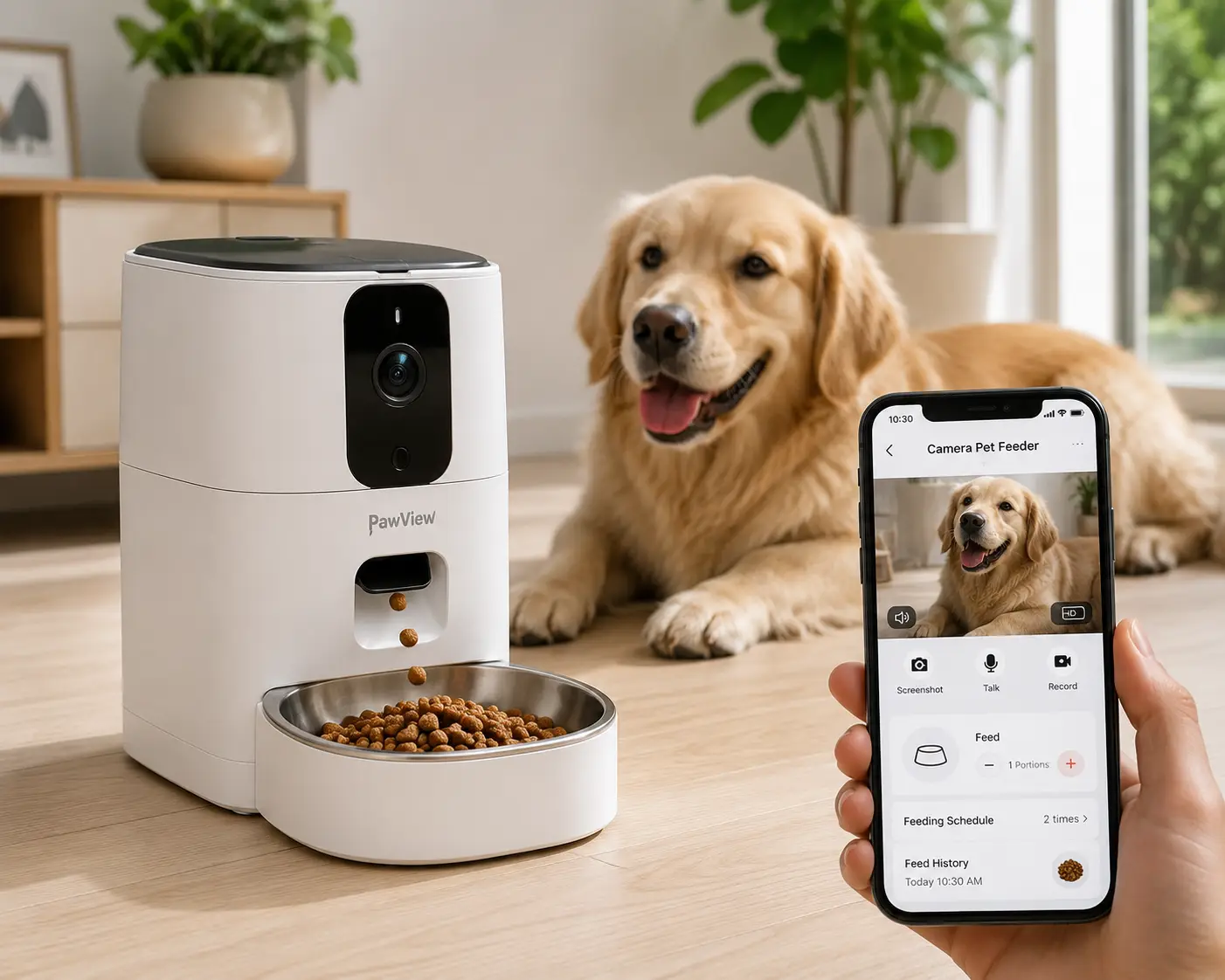
If you’ve ever sat in a meeting wondering whether your cat actually ate breakfast, you already understand the appeal of a camera pet feeder. These devices combine a programmable food dispenser with a built-in camera, so you can watch your pet eat, talk to them through two-way audio, and get an alert the moment the bowl goes empty — all from your phone. What used to require a separate feeder and a separate security camera now lives in one countertop appliance, and the category has matured fast: today’s models offer 1080p or even 2K video, dual-band WiFi, portion tracking down to the gram, and app histories that build a real record of your pet’s eating habits over time.
This guide focuses on what actually matters when you’re comparing a camera pet feeder to the dozens of look-alike listings on Amazon: hopper capacity, camera field of view, night vision quality, app reliability, and — critically — whether the company is transparent about what’s free versus locked behind a subscription. Per the FTC’s Endorsement Guides, we’re disclosing upfront: this article contains affiliate links, and we may earn a commission if you buy through them, at no extra cost to you. That doesn’t change our analysis — every product below is evaluated on real specs and real aggregated review themes, not marketing copy.
Below you’ll find seven real, currently available models spanning entry-level to premium, a breakdown of how to choose between them, and answers to the buying questions people actually search for before checking out.
What Is a Camera Pet Feeder?
A camera pet feeder is an automatic pet feeder with camera hardware built directly into the unit, letting owners schedule meals, dispense food remotely, and watch live or recorded video of their pet through a companion smartphone app. Most models add two-way audio, motion or sound alerts, and night vision, turning a simple food dispenser into a full pet-monitoring hub.
That combination matters more than it sounds. A smart pet feeder camera doesn’t just tell you a meal was dispensed — it lets you confirm your pet actually walked over and ate it, which is a real gap with older dial-timer feeders. It also means one WiFi device does the job of two: no separate baby-monitor-style camera propped up next to a bowl, no juggling two apps. The tradeoff, which we’ll cover honestly throughout this guide, is that camera hardware adds cost, WiFi dependency, and in some cases a subscription fee for extended video history.
Quick Comparison: What You Get by Price Tier
Camera pet feeders on Amazon generally fall into three price bands, and knowing which one you’re shopping in helps set realistic expectations before you compare individual models.
| Tier | Typical Price | Camera Quality | What You Get | Best For |
|---|---|---|---|---|
| Budget | Under $110 | 1080p, fixed angle | Basic scheduling, motion alerts, smaller hopper (3-4L) | Single pet, simple routines |
| Mid-Range | $110-$140 | 1080p, wide-angle (140-160°) | Dual-band WiFi, two-way audio, larger hopper (5-6L) | Most households |
| Premium | $140+ | 1080p-2K, wide or rotating | Dual trays, AI motion detection, extended local storage | Multi-pet homes, close monitoring |
Looking at the table above, the jump from budget to mid-range buys you meaningfully better WiFi reliability and a bigger hopper — the two complaints that show up most often in aggregated reviews of entry-level units. The jump from mid-range to premium mostly buys convenience features (dual trays, rotating lenses) rather than a better core experience, so it’s worth deciding whether you actually need those extras before paying up.
💬 One click helps other shoppers make an informed choice too! 😊
Top 7 Camera Pet Feeders: Expert Analysis
We evaluated these seven models on hopper capacity, camera performance, app design, and honest aggregated review sentiment. All seven are real, currently listed products spanning entry-level to premium pricing — here’s how they stack up before you dive into the individual breakdowns.
| # | Product | Price Range | Hopper | Camera | Best For |
|---|---|---|---|---|---|
| 1 | PETKIT YumShare Solo | $90-$100 | 3L | 1080p, night vision | Budget-conscious single-pet homes |
| 2 | Faroro Smart Feeder | Varies (check listing) | 4L | 1080p, 120° adjustable | Flexible, granular meal scheduling |
| 3 | WOPET Heritage View | ~$120 | 6L | 1080p, 160° wide-angle | Largest hopper, widest view |
| 4 | PETKIT YumShare Dual-Hopper | ~$120 | 5L (split) | 1080p, night vision | Two pets on different diets |
| 5 | HHOLOVE O Sitter | ~$130 | 2.5L | 2K, 360° rotating, AI tracking | Owners who want the sharpest video |
| 6 | PETLIBRO Granary Single-Tray | ~$140 | 5L | 1080p, 145° wide-angle | Dependable all-around daily use |
| 7 | PETLIBRO Granary Dual-Tray | ~$150 | 5L | 1080p, 145° wide-angle | Two cats sharing one feeding station |
Scanning the table, the PETKIT YumShare Solo is the clear entry point if budget is the priority, while the HHOLOVE O Sitter stands apart as the only model here with a rotating 2K lens and AI-driven tracking. For multi-pet households, the choice really comes down to whether your pets eat the same food (pick the PETLIBRO Granary Dual-Tray) or need separate diets (pick the PETKIT YumShare Dual-Hopper).
1. PETKIT YumShare Solo — most wallet-friendly smart pick
The PETKIT YumShare Solo proves you don’t need to spend $150 to get a genuinely useful camera pet feeder. Its 3-liter hopper is modest, but the core feature set — 1080p camera with night vision, app-based scheduling for up to 10 meals a day, and portion sizes between 1 and 5 — covers what most single-cat or single-small-dog households actually need day to day.
What sets it apart in practice is bowl monitoring: the unit pauses dispensing when it detects the bowl is still full, which prevents overflow if your pet grazes slowly. Reviewers consistently flag this as smarter behavior than fixed-schedule dumping into an already-full bowl, since it protects against food waste and reduces the mess that comes with over-dispensing. The AI event-clip feature, which auto-categorizes footage by activity type (eating, approaching, leaving), is a genuinely useful shortcut for busy owners who don’t want to scrub through raw video.
The catch is WiFi: this model only supports 2.4GHz networks, so if your router broadcasts a combined or 5GHz-only band in that room, you may need to adjust settings before setup. It also caps at roughly 12mm kibble, which rules out larger dog kibble. Aggregated feedback describes the app as intuitive for a first-time smart-feeder buyer, with the main recurring complaint being that full video history requires a paid tier beyond a short free window.
Pros:
- ✅ Most affordable major-brand camera feeder in this lineup
- ✅ Bowl-full detection prevents overflow and waste
- ✅ AI event clips make reviewing footage faster
Cons:
- ❌ 2.4GHz WiFi only, no dual-band support
- ❌ Small 3L hopper needs more frequent refilling
Typically listed in the $90 to $100 range, the PETKIT YumShare Solo offers strong value for anyone testing whether a camera feeder fits their routine before investing in a pricier model.
2. Faroro Smart Feeder — most flexible meal scheduling
The Faroro Smart Feeder distinguishes itself with scheduling depth: where most competitors cap at 10 meals a day, this 4-liter unit supports up to 15 separate feeding times with portions from 1 to 30, giving owners of grazing cats or pets on veterinary feeding plans far more granular control.
Its 120° camera lens is adjustable rather than fixed, which matters more than it sounds — you can angle it to actually frame the bowl and the space in front of it, instead of hoping the factory angle happens to line up with your counter setup. The transparent hopper is another small but practical touch: you can glance at remaining food without opening the app, something sealed-hopper competitors don’t offer. Based on comparing the spec sheet against similar-priced models, the tradeoff for that flexibility is ecosystem: Faroro runs on the third-party Smart Life app rather than a dedicated pet-brand interface, so you lose some of the polish (and customer support responsiveness) that comes with a purpose-built app like PETLIBRO’s or PETKIT’s.
Aggregated buyer feedback highlights the blockage sensor and low-food alerts as reliable in daily use, with occasional notes that pricing and stock availability fluctuate more than with bigger brands — a fair tradeoff to weigh against the scheduling flexibility.
Pros:
- ✅ Up to 15 meals a day for precise feeding plans
- ✅ Transparent hopper shows food level at a glance
- ✅ Adjustable camera angle for better bowl framing
Cons:
- ❌ Relies on third-party Smart Life app, not a dedicated interface
- ❌ Price and availability fluctuate across retailers
Pricing varies by retailer and promotion, so check the current listing — but even at the upper end of its range, the scheduling flexibility makes the Faroro Smart Feeder worth a look for multi-meal routines.
3. WOPET Heritage View — largest hopper, widest camera view
If capacity and field of view are your priorities, the WOPET Heritage View leads this list on both counts. Its 6-liter hopper is the biggest of the seven, and the camera’s 160° horizontal field of view paired with 70° vertical tilt captures more of the surrounding room than any other model here — genuinely useful if your feeding station shares space with a litter box or a second pet’s bowl.
Night vision reaches roughly 33 feet, well beyond what a single-room setup usually requires, and the two dispensing bowls make it a natural fit for two pets who eat identical food. What most buyers overlook with this model is that “dual bowl” doesn’t mean “dual diet” — both sides receive the same scheduled portion, so it solves the logistics of feeding two pets at once but not the problem of different meal plans. The local microSD recording (a 4GB card is included, expandable further) means you get playback without a subscription, which stands out against the pricier PETLIBRO Granary and PETKIT models that gate cloud history behind a paid plan.
Reviews tend to praise the wide-angle coverage and note the adjustable tilt as a meaningful upgrade over fixed-angle budget units, though several buyers point out that backup batteries aren’t included in the box — a minor but avoidable annoyance on unboxing day.
Pros:
- ✅ Largest hopper in this lineup at 6 liters
- ✅ Widest camera field of view with adjustable tilt
- ✅ Local recording included, no subscription required
Cons:
- ❌ Both bowls dispense identical food, not separate diets
- ❌ Backup batteries not included in the box
Generally priced around $120, the WOPET Heritage View delivers strong capacity and camera coverage for the money, especially for two pets sharing one diet.
4. PETKIT YumShare Dual-Hopper — best for mixed-diet households
The PETKIT YumShare Dual-Hopper solves a problem the WOPET model doesn’t: feeding two pets who eat different food. Its 5-liter hopper splits into a 2-liter and 3-liter side, so a senior cat on prescription kibble and a younger housemate on regular food can each get their own scheduled portions from a single unit.
The 940nm infrared night vision is a small but real upgrade over standard IR — it’s less visible as a red glow in the dark, which matters if your pet is sensitive to light near their sleeping or eating area. Bowl-full monitoring pauses dispensing automatically, echoing the Solo model’s smartest feature, and the four D-cell battery backup claims up to 60 days of standby power during outages, which is meaningfully longer than most competitors in this price range. Here’s what to weigh: this model shares the Solo’s 2.4GHz-only WiFi limitation, so the same router considerations apply.
Aggregated review themes point to the dual-hopper design as the standout differentiator — it’s a genuinely uncommon feature at this price — while the most common critique is that full video history sits behind PETKIT’s Care+ subscription rather than being free indefinitely.
Pros:
- ✅ True dual-hopper design for two different diets
- ✅ 940nm infrared night vision is less disruptive
- ✅ Up to 60 days of battery backup standby
Cons:
- ❌ 2.4GHz WiFi only, same as the Solo model
- ❌ Full video history requires a Care+ subscription
Typically found around $120 (sometimes listed against a higher regular price during promotions), the PETKIT YumShare Dual-Hopper is the strongest pick here for pets who can’t share a bowl.
5. HHOLOVE O Sitter — only rotating 2K camera with AI tracking
The HHOLOVE O Sitter is the outlier on this list in the best way: it’s the only model with a 2K camera, and the only one that physically rotates — 360° horizontally and 110° vertically — to follow motion around the room rather than relying on a fixed wide-angle lens.
That AI-tracking behavior means the camera can pan toward your pet as they move, rather than hoping they stay in frame, which produces noticeably clearer footage for reviewing later. The built-in laser toy is a genuinely unusual addition for a feeder — it’s a small gesture toward enrichment, not just feeding, and it’s controllable remotely through the app. On paper, this means the O Sitter functions more like a pet camera with a feeder attached than a feeder with a camera bolted on, which is a meaningfully different design philosophy from the other six products here. The 2.5-liter hopper is the smallest in this roundup, though, so it’s better suited to a single cat than a multi-pet household or a large dog.
Aggregated feedback consistently calls out the video quality and tracking as the standout reasons to choose this model over cheaper alternatives, while noting that AI highlight reels and extended cloud storage require a subscription — the resolution and live view remain free, but the smartest software features are gated.
Pros:
- ✅ Sharpest 2K video of any model in this lineup
- ✅ Rotating AI tracking follows your pet automatically
- ✅ Built-in laser toy adds real enrichment value
Cons:
- ❌ Smallest hopper here at 2.5 liters
- ❌ AI highlights and cloud storage need a subscription
At around $130, the HHOLOVE O Sitter is the pick for owners who care more about video quality and interaction than raw feeding capacity.
6. PETLIBRO Granary Single-Tray — most dependable all-rounder
The PETLIBRO Granary Single-Tray earns its spot as the most balanced option here: a 5-liter hopper, dual-band (2.4GHz and 5GHz) WiFi that sidesteps the connectivity headaches some competitors run into, and a stainless steel bowl that’s easy to keep genuinely clean rather than merely wipeable.
The 145° wide-angle 1080p camera with infrared night vision covers a standard kitchen counter setup well, and PETLIBRO’s twist-seal hopper lid is a real differentiator — it’s specifically engineered to resist prying paws, which matters if you’ve ever owned a cat determined to break into a food container. Reviews consistently report that the sealed design keeps food fresher for the roughly month-long stretch a full hopper is rated to last, and local microSD recording (up to 256GB) means video history doesn’t require a subscription for basic playback, unlike several competitors on this list. Based on comparing detailed hands-on reviews, initial WiFi pairing has occasionally required a firmware update to run smoothly — a minor but real friction point worth knowing about before you set expectations for a five-minute setup.
The portion system uses PETLIBRO’s own “portions” unit (roughly 10 grams each) rather than cups or grams directly, which a few reviewers find less intuitive than competitors’ straightforward gram-based sliders, though it becomes second nature after the first week of use.
Pros:
- ✅ Dual-band WiFi reduces connectivity issues
- ✅ Sealed twist-lock lid resists determined pets
- ✅ Subscription-free local video storage up to 256GB
Cons:
- ❌ Initial WiFi setup sometimes needs a firmware update
- ❌ Portion sizing uses a proprietary unit, not grams
Generally priced around $140, the PETLIBRO Granary Single-Tray is the safest default pick if you want one reliable feeder without hunting for a workaround to any single weak spot.
7. PETLIBRO Granary Dual-Tray — best for two cats, one feeder
The PETLIBRO Granary Dual-Tray takes everything that works about the single-tray version — dual-band WiFi, the sealed twist-lock hopper, subscription-free local recording — and adds a second stainless steel tray, making it the most practical option here for two cats who eat the same diet and don’t need a hopper split like the PETKIT dual model offers.
Because both trays draw from the same 5-liter hopper rather than a divided one, this model is a better fit for pets eating identical food than for a mixed-diet household. The same 145° wide-angle camera and two-way audio carry over from the single-tray unit, so you get one consistent monitoring experience covering both feeding spots rather than juggling two separate camera feeds. What most buyers overlook here is spacing: because the trays sit close together, a dominant cat can still physically guard both sides at once, so this solves the logistics of feeding two cats from one machine but doesn’t fully solve resource-guarding behavior on its own.
Aggregated review sentiment mirrors the single-tray model closely — praise for build quality and app reliability, with availability across Amazon, Best Buy, PetSmart, and Costco cited as a convenience for warranty and return support that smaller brands can’t always match.
Pros:
- ✅ Two feeding trays from one dual-band WiFi camera unit
- ✅ Same sealed, pest-resistant hopper as the single-tray model
- ✅ Widely available for easy returns and warranty support
Cons:
- ❌ Highest price point in this lineup
- ❌ Close tray spacing doesn’t stop a dominant cat from guarding both
Typically around $150, the PETLIBRO Granary Dual-Tray is the premium pick for two cats on the same diet who don’t mind sharing one monitoring hub.
Getting Started: Your First 30 Days With a Camera Pet Feeder
Setup mistakes in week one cause most of the frustration people report with any camera pet feeder, so a little sequencing helps. Start by placing the unit near your router, not near your pet’s usual spot — you can move it once the WiFi connection is confirmed stable, but pairing near a strong signal avoids the firmware-update loop several reviewers mentioned above. Most apps walk you through Bluetooth or QR-code pairing first, then switch to WiFi; if your network broadcasts a combined 2.4/5GHz name, temporarily splitting them into separate SSIDs solves the vast majority of “won’t connect” support tickets.
For the first three to four days, keep your existing feeding schedule running in parallel — set the same meal times and portions you were already using by hand, rather than experimenting with new schedules immediately. This lets your pet associate the new sound and dispensing motion with a familiar routine instead of two unknowns at once. Around day five, start using the live-view and two-way audio features intentionally: call your pet’s name through the app once and watch how they react on camera. Cats especially can take a week or two to stop startling at a disembodied voice.
By the second week, check your app’s video storage settings. Decide now whether you need the paid tier for extended cloud history or whether local microSD/onboard storage covers your needs — this is far easier to configure before you’ve accumulated a month of clips you’d hate to lose. Finally, clean the hopper seal and dispensing chute at the 30-day mark, even if the manual says less often; kibble dust buildup is the single most common cause of jams reported across every brand in this category.
Real-World Scenarios: Which Camera Pet Feeder Fits Your Life?
The remote-working single-cat owner. If you’re home most days but travel occasionally, you don’t need the biggest hopper — you need reliable video and easy two-way audio for the handful of nights you’re away. The HHOLOVE O Sitter‘s rotating 2K camera and laser toy make those away-nights genuinely interactive rather than just a feeding formality.
The two-cats-on-different-diets household. If one cat needs prescription food and the other doesn’t, hopper capacity matters less than diet separation. The PETKIT YumShare Dual-Hopper is purpose-built for exactly this, and its 60-day battery backup means a power outage won’t force you to choose between the two feeding schedules.
The budget-first first-timer. If you’re not sure a camera pet feeder is even the right fit for your household yet, don’t start with the $150 model. The PETKIT YumShare Solo lets you test the core experience — scheduling, remote viewing, alerts — for under $100 before committing further.
The multi-pet home with a dog and a cat. Larger kibble and higher food volume call for hopper size first. The WOPET Heritage View‘s 6-liter capacity and wide 160° field of view cover more physical space, which matters when a dog bowl and a cat bowl sit near each other.
The traveler who wants zero subscription anxiety. If the idea of losing video history to a lapsed subscription bothers you, prioritize local storage. Both PETLIBRO Granary models record to microSD without a required subscription, which matters most for owners who travel for a week or more at a time.
Common Problems and Their Solutions
Problem: The app keeps losing connection to the feeder. This is almost always a WiFi band issue. Solutions built for 2.4GHz-only feeders (the PETKIT YumShare Solo and PETKIT YumShare Dual-Hopper) need a dedicated 2.4GHz network name if your router broadcasts a combined band; dual-band models like the PETLIBRO Granary units sidestep this entirely.
Problem: Kibble jams in the dispensing chute. Most jams trace back to irregularly shaped kibble or dust buildup rather than a hardware defect. Check your kibble size against the manufacturer’s stated range (commonly 2-12mm for smaller units), and clean the chute monthly rather than only when a jam already happened.
Problem: Video history disappeared or looks incomplete. This usually means you’ve hit a free-tier storage limit. Check whether your model uses local microSD (the WOPET Heritage View and both PETLIBRO Granary models) versus cloud-only storage that requires a paid plan (as with PETKIT’s Care+ tier) — knowing which one you have before it becomes a problem saves real frustration.
Problem: Your pet won’t approach the feeder. New noise and motion can spook cats especially. Run the dispensing motor manually (without food) a few times a day for the first 48 hours so the sound becomes background noise, and place a small treat trail leading to the bowl the first time.
Problem: Portion sizes seem inconsistent. Humidity affects kibble density, which changes how “one portion” measures out day to day. If you notice drift, recalibrate using your app’s portion-test feature (most brands include one) rather than assuming the hardware is failing.
How to Choose a Camera Pet Feeder
- Start with hopper size, not camera specs. Match capacity to your pet’s daily intake and how long you’re comfortable going between refills — a 6-liter hopper like the WOPET Heritage View buys real independence for multi-pet homes or frequent travel.
- Confirm your router supports the feeder’s WiFi band. Dual-band units avoid the majority of connectivity complaints; if you’re set on a 2.4GHz-only model, check that your router can broadcast a separate 2.4GHz network.
- Decide how much you care about subscription-free storage. If losing video history to a lapsed plan would bother you, prioritize local microSD or onboard recording over cloud-only systems.
- Match diet complexity to hopper design. A single hopper works for pets sharing one diet; a genuinely divided dual-hopper feeder is worth the extra cost if your pets eat different food.
- Check kibble size compatibility before buying. Most compact units cap around 12mm, which excludes some large-breed dog kibble — verify against your actual bag before ordering.
- Weigh camera field of view against your space. A narrow fixed lens is fine for a tight kitchen corner; an open room benefits from the wider 145-160° lenses or a rotating design like the HHOLOVE O Sitter.
- Read the battery backup spec, not just the WiFi spec. A feeder that stops functioning during a power outage defeats its own purpose — models with D-cell battery backup keep dispensing on schedule even offline.
Common Mistakes to Avoid When Buying a Camera Pet Feeder
One of the most frequent mistakes is buying based on hopper size alone and ignoring WiFi band compatibility — a beautiful 6-liter feeder that can’t hold a stable connection to your router is more frustrating than a smaller, reliable one. Another is assuming “camera included” means unlimited free video history; nearly every brand in this category gates extended cloud storage or AI highlight reels behind a subscription, and only reading the fine print after your free trial expires is a common regret in aggregated reviews.
Buyers also frequently underestimate cleaning requirements. A camera pet feeder isn’t a “set it and forget it” appliance the way a dial-timer feeder can be — kibble dust and grease buildup in the dispensing chute is the top reported cause of jams across every brand covered here, and skipping monthly cleaning shortens the unit’s reliable lifespan noticeably. Finally, a subtler mistake is not checking kibble compatibility before ordering. Owners of large-breed dogs sometimes discover after unboxing that their kibble is simply too large for the dispensing mechanism, which is an easily avoidable return if you measure your kibble against the listed range first.
Camera Pet Feeders vs. Traditional Automatic Feeders
A traditional automatic feeder — the dial-timer type without a camera — still has a place, particularly for owners who just need reliable scheduled dispensing and don’t care about remote monitoring. But the gap between the two categories has widened as camera models have come down in price.
| Factor | Camera Pet Feeder | Traditional Feeder |
|---|---|---|
| Remote confirmation pet actually ate | Yes, via live/recorded video | No |
| Two-way audio | Yes, on nearly all models | No |
| Typical price | $90-$150 | $30-$80 |
| WiFi/app required | Yes | Sometimes optional |
| Subscription risk | Possible for extended storage | None |
The core tradeoff, looking at the table above, is that a traditional feeder is simpler and has zero subscription risk, but it leaves a real blind spot: you know food was dispensed, not whether your pet actually ate it. For anyone who’s ever come home to a full bowl and a worried vet-visit spiral, that confirmation is worth the WiFi dependency for most households.
Where a traditional feeder still wins outright is reliability in homes with unstable internet — a dial-timer unit works exactly the same during a WiFi outage as it does on a perfect connection, while even the best camera pet feeder loses its remote-monitoring value (though not its scheduled dispensing, thanks to battery backups) when the network drops.
What to Expect: Everyday Performance
On paper, spec sheets make every camera pet feeder sound identical: 1080p, WiFi, two-way audio, night vision. In daily use, the differences show up in smaller, more practical ways. Dispensing noise is one — units with plastic augers tend to run slightly louder than stainless steel mechanisms, which matters if your pet startles easily. App responsiveness during live view is another: dual-band WiFi models like the PETLIBRO Granary feeders generally load live video faster and with less lag than 2.4GHz-only units, especially in homes with several other smart devices competing for bandwidth.
Night vision quality also varies more than spec sheets suggest. A stated “infrared night vision” spec doesn’t tell you range or brightness — the WOPET Heritage View‘s roughly 33-foot range is genuinely useful in an open room, while a tighter kitchen nook doesn’t need that much throw. Motion alerts, similarly, range from genuinely useful to mildly annoying depending on how well the AI distinguishes your pet from a passing shadow or a second animal in frame; models with dedicated AI processing (the PETKIT YumShare line and the HHOLOVE O Sitter) tend to generate fewer false-positive notifications than budget units relying on basic motion detection.
Long-Term Cost and Maintenance
The sticker price is only part of the real cost of owning a camera pet feeder. Subscription fees for extended cloud storage or AI features are the biggest variable — several brands in this category, including PETKIT’s Care+ tier, charge a recurring fee for video history beyond a short free window, while both PETLIBRO Granary models and the WOPET Heritage View avoid this entirely with local microSD recording.
| Cost Factor | Typical Range | Notes |
|---|---|---|
| Upfront unit price | $90-$150 | One-time cost |
| Optional cloud subscription | ~$3-$10/month | Varies by brand, often optional |
| Replacement batteries (backup power) | ~$10-$15/year | D-cell or AAA depending on model |
| microSD card (if not included) | ~$10-$20 one-time | Only needed for local-storage models |
Looking at the numbers, a subscription-free model with local storage can end up meaningfully cheaper over two to three years of ownership than a lower-upfront-cost feeder that requires a monthly plan to unlock full functionality — it’s worth running that math before assuming the cheapest sticker price is the cheapest total cost.
Maintenance costs stay modest across the board: expect to replace backup batteries roughly once a year with normal use, and budget for an occasional replacement bowl or hopper seal if you have a particularly determined chewer. None of the seven models here require professional servicing under normal conditions.
Safety, Regulations, and Standards
Because a camera pet feeder is a WiFi-connected electronic device sold in the US, it’s subject to FCC equipment authorization requirements governing radio-frequency emissions — reputable brands list their FCC ID on the product or packaging, and it’s worth confirming that before buying from a lesser-known listing. You can look up any device’s certification directly through the FCC’s equipment authorization database if you want to verify a specific model.
Physical safety matters too, particularly around small parts and cord placement. Keep detachable hopper lids and battery compartments secured out of reach of young children, and route the power cord where it can’t be chewed or pulled by a curious pet.
On the privacy side, any camera pet feeder is functionally a home security camera pointed at part of your living space, and Consumer Reports’ testing of home cameras used for pet monitoring is a useful read before you set one up. Change the default app password immediately, enable two-factor authentication if the brand offers it, and check the privacy policy for how long footage is retained and whether it’s ever shared with third parties.
Finally, on the feeding-health side, don’t let convenience override good veterinary guidance. Cornell University’s Feline Health Center notes that most adult cats do well on two to three measured meals a day rather than free-feeding — a camera feeder’s scheduling precision is a tool for following that advice consistently, not a reason to abandon portion control altogether.
✨ Don’t miss these exclusive deals!
🔍 Take your pet-feeding setup to the next level with this carefully curated lineup. Click a highlighted product above to check current pricing and availability. These picks will help you keep your pet fed, watched, and a little more spoiled — no matter where the day takes you! 🐾
Frequently Asked Questions
❓ What is the best camera pet feeder for cats?
❓ Do camera pet feeders work without WiFi?
❓ How much does a good camera pet feeder cost?
❓ Are camera pet feeders safe for cats to use unsupervised?
❓ Can two pets share one camera pet feeder?
Conclusion
A camera pet feeder earns its higher price over a basic dial-timer model by closing the one gap every scheduled feeder has always had: you can now actually confirm your pet ate, not just that food was dispensed. Across the seven models in this guide, the differences that matter most in daily use are WiFi band support, whether video storage is local or subscription-gated, and how well hopper design matches your household’s diet needs — not marketing claims about camera resolution alone.
If you’re testing the category for the first time, the PETKIT YumShare Solo offers a low-risk entry point under $100. If you want the most dependable all-around experience, the PETLIBRO Granary Single-Tray‘s dual-band WiFi and sealed hopper make it the safest default recommendation here. And if two pets on different diets are your real challenge, the PETKIT YumShare Dual-Hopper solves a problem none of the single-hopper models can. Whichever you choose, read the subscription fine print before you buy, confirm your kibble size fits the dispensing range, and give your pet a few days to adjust to the new routine before judging whether it was the right call.
Recommended for You
- Dog Food Dispenser With Lever: 7 Best Picks for 2026
- Stainless Steel Water Fountain for Dogs: 7 Best Picks (2026)
- Dog Large Water Dispenser: 7 Best Picks for 2026 (Never Run Dry)
Disclaimer: This post contains affiliate links. As an Amazon Associate, I earn from qualifying purchases made through these links, at no additional cost to you.
✨ Found this article helpful? Share it with someone who needs it! 💬🤗