In This Article
Why a Dog Feeder with Camera Belongs on Your Radar in 2026
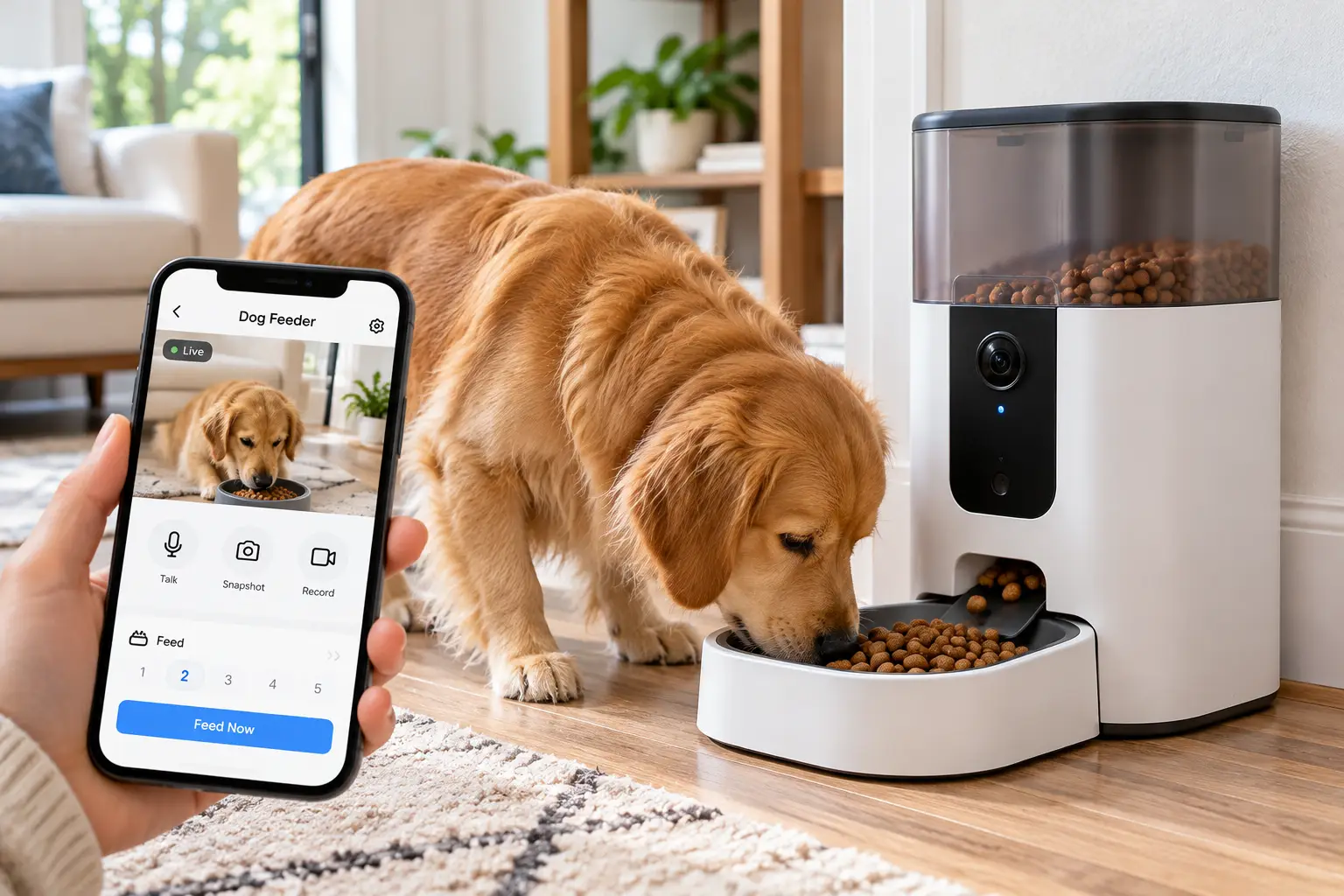
A dog feeder with camera is an automatic kibble dispenser that releases pre-set portions on a schedule you control from your phone, while a built-in HD camera lets you watch, hear, and talk to your dog at mealtime. In short, it answers two questions at once: “Did my dog eat?” and “Is my dog okay?”
That second question is the real reason this category exploded. A basic timed feeder can drop food into a bowl just fine. However, it can’t tell you whether your Lab actually ate it, whether your senior Beagle skipped breakfast (often an early warning sign), or whether the cat next door has been raiding the bowl. With a camera, you trade guesswork for visual proof.
Portion control matters more than most owners realize, too. Veterinary groups have spent years pushing for more structured feeding, and the AAHA nutrition and weight management guidelines covered by the AVMA treat regular nutritional assessment as a core part of keeping dogs healthy at every life stage. A programmable feeder makes “the same measured amount, at the same time, every day” ridiculously easy, even when your schedule is anything but.
So, what’s in this guide? Below, you’ll find seven real models available to US shoppers, from budget-friendly 4-liter units to a 12-liter feeder built for big dogs and big kibble. Rather than parroting product listings, we compare spec sheets side by side, summarize what real customer reviews consistently report, and translate features like “140° lens” and “5GHz Wi-Fi” into what they mean in your kitchen. Then we cover setup, troubleshooting, long-term costs, and the mistakes that send so many feeders back to the store.
Quick Comparison: The 7 Best Dog Feeder with Camera Picks at a Glance
| Model | Hopper | Camera | Wi-Fi | Price Range* | Best For |
|---|---|---|---|---|---|
| PETLIBRO Granary Camera Feeder | 5L | 1080p, 145° | 2.4 + 5GHz | ~$100–$160 | Best overall for one small/medium dog |
| PETLIBRO Granary Camera Feeder Dual Bowl | 5L | 1080p, 145° | 2.4 + 5GHz | ~$120–$180 | Two dogs on the same food |
| PETKIT YumShare Dual-Hopper | 2L + 3L | 1080p, 140°, AI clips | 2.4GHz (gen 1) | ~$95–$170 | Mixing two foods or meals + treats |
| PETKIT YumShare Solo with Camera | 3L | 1080p, 140°, AI clips | 2.4GHz | ~$90–$140 | Small dogs and tight spaces |
| WOPET 6L Feeder with Camera | 6L | 1080p, 160°, tilting | 2.4 + 5GHz | ~$90–$150 | Adjustable view, local SD storage |
| Faroro 4L Camera Feeder (3MP) | 4L | 3MP, 110° | 2.4 + 5GHz | ~$70–$90 | Budget buyers |
| Yakry 12L Large Breed Feeder with Camera | 12L | 1080p | Wi-Fi app | ~$100–$160 | Large breeds and big kibble |
*Price ranges at the time of writing; prices change often, so check the current price on Amazon.
Looking at the table above, the PETLIBRO Granary Camera Feeder strikes the best overall balance of capacity, camera quality, and dual-band Wi-Fi, while the Faroro 4L Camera Feeder (3MP) costs noticeably less if you can live with a narrower 110° view. Meanwhile, owners of 60-pound-plus dogs should skip straight to the Yakry 12L Large Breed Feeder with Camera, because hopper size and kibble-size limits matter more than lens angle once you’re feeding a big appetite.
💬 One click helps other shoppers make an informed choice too! 😊
Top 7 Dog Feeder with Camera Models: Expert Analysis
1. PETLIBRO Granary Camera Feeder — the best all-rounder for most homes
The PETLIBRO Granary Camera Feeder earns its top spot by doing the fundamentals well without demanding a subscription for core features. Its 5-liter hopper takes kibble from roughly 2 to 15 mm, which covers most small- and medium-breed foods, and you can schedule up to six meals a day. The 1080p camera has a 145° wide-angle lens pointed down at the bowl, so you see your dog eating rather than a view of your living room, which is a quiet privacy win.
On paper, the dual-band Wi-Fi (2.4GHz and 5GHz) is the sleeper feature here. Many budget feeders only support 2.4GHz, which can make setup frustrating on modern mesh routers. One caveat worth knowing: on battery backup, PETLIBRO disables the camera and Wi-Fi to stretch battery life, though scheduled meals still dispense.
This is the feeder to choose if you have one dog under about 50 pounds and want a reliable, no-fuss camera check-in. Reviews consistently praise the clear video, night vision, and dependable scheduling, while a recurring complaint involves occasional Wi-Fi drops or resets and some variation in portion size between dispenses.
Pros:
- ✅ Dual-band Wi-Fi makes setup easier on modern routers
- ✅ Downward-facing camera keeps the view focused on the bowl
- ✅ Core camera and audio features work without a subscription
Cons:
- ❌ Dry food only, so no freeze-dried mixes or wet food
- ❌ Camera shuts off during battery-only operation
Expect to pay roughly $100 to $160 at the time of writing, which is fair value for a feeder this polished.
2. PETLIBRO Granary Camera Feeder Dual Bowl — easiest way to feed two dogs at once
The PETLIBRO Granary Camera Feeder Dual Bowl takes the same 5-liter hopper and 1080p camera as the single-bowl model and splits each dispense into two stainless steel bowls. Consequently, two dogs get their meals at the same moment, which tends to reduce the “who’s eating whose food” standoff in multi-dog homes.
Here’s what to weigh, though. Because both bowls draw from one hopper, both dogs must eat the same food. And because the portion setting governs the combined output, you’ll want to confirm how your chosen setting divides between bowls before relying on it for dogs with different calorie needs. In practice, this design shines for two similarly sized dogs on the same diet, such as littermates or a bonded pair.
Customer feedback is more mixed here than for the single-bowl version. Owners like the live stream and the on-demand “feed now” button, but some reviews describe trouble connecting the camera during setup. That pattern suggests checking your Wi-Fi strength at the feeder’s spot before you commit.
Pros:
- ✅ Feeds two dogs simultaneously from one device
- ✅ Same 145° camera and two-way audio as the single version
- ✅ Saves counter space compared with two separate feeders
Cons:
- ❌ Both dogs must share the same food
- ❌ Setup connection issues appear in some reviews
At roughly $120 to $180, it costs less than buying two camera feeders, making it strong value for matched pairs.
3. PETKIT YumShare Dual-Hopper — best for mixing two foods or meals plus treats
The PETKIT YumShare Dual-Hopper solves a problem single-hopper feeders can’t: it holds two different foods in separate 2-liter and 3-liter compartments. As a result, you can run a weight-management kibble alongside a dental kibble, or, as many owners do, load regular food on one side and small treats on the other.
The feature set is genuinely deep. You get up to 10 meals a day with 1 to 10 portions per meal from each hopper, a 1080p camera with a 140° lens and infrared night vision, and AI motion detection that sorts clips into “feeding,” “eating,” and “visiting.” What that means in practice: instead of scrubbing through hours of footage, you can jump straight to the moments your dog actually ate. You can also record a meal call of up to 20 seconds.
Reviews consistently highlight the camera quality and the fun of watching auto-generated playback clips. However, buyers should note that the original model connects on 2.4GHz only, and some advanced video history features sit behind PETKIT’s Care+ subscription. It’s officially aimed at cats and small dogs, so measure your kibble before buying.
Pros:
- ✅ Two hoppers allow custom blends or separate foods
- ✅ AI clip sorting makes reviewing meals fast
- ✅ Works in the same app as other PETKIT devices
Cons:
- ❌ First-generation model supports only 2.4GHz Wi-Fi
- ❌ Some video history features require a paid plan
Typically $95 to $170 depending on version, it’s excellent value for owners managing special diets.
4. PETKIT YumShare Solo with Camera — compact pick for small dogs
The PETKIT YumShare Solo with Camera packs the brand’s AI camera into a smaller 3-liter (about 12-cup) footprint, which makes it ideal for apartments and small breeds. That capacity sounds modest, but for a 15-pound dog eating about a cup a day, a full hopper can last close to two weeks.
Under the hood, you get up to 10 meals per day at 1 to 5 portions each, a 1080p camera with a 140° lens, and 940nm infrared night vision, which glows far less visibly than the red LEDs on cheaper cameras. Its triple fresh-lock system combines a desiccant box, a sealing ring, and an outlet that closes automatically, so kibble stays crisper in humid kitchens. On paper, five AAA batteries can keep meals going during an outage for up to two weeks, though camera functions pause in battery mode.
Reviews generally praise the camera clarity and simple setup. That said, at least one Chewy reviewer raised a concern after learning the bowl carried a nonstick coating, so if materials matter to you, confirm the current bowl spec with PETKIT before buying. Recorded playback also requires PETKIT’s Care+ subscription.
Pros:
- ✅ Small footprint fits apartments and narrow counters
- ✅ Discreet 940nm night vision with AI meal tracking
- ✅ Battery backup keeps meals on schedule during outages
Cons:
- ❌ Too small for medium or large breeds
- ❌ Video playback needs a paid subscription
At roughly $90 to $140, it’s solid value for small-dog households.
5. WOPET 6L Feeder with Camera — adjustable view with local storage
The WOPET 6L Feeder with Camera stands out for one reason fixed-lens feeders can’t match: its camera tilts up to 70° vertically on top of a 160° wide-angle view. Practically speaking, you can angle it to see a tall dog’s face, the bowl, or the room behind it, instead of whatever the factory decided you should see.
It also stores recordings locally on a microSD card (up to 256GB, with a 4GB card included), which means you aren’t forced into a cloud subscription to keep footage. Add dual-band Wi-Fi, up to 10 meals a day with 1 to 20 portions per meal, multi-user access for the whole family, and a camera on/off toggle for privacy, and you have a feature list that punches above its price.
Aggregated reviews describe the feeding, camera, and two-way audio as working smoothly, and owners like the tilt control. On the flip side, a recurring complaint is that the lightweight body can be pushed over by pushy dogs, and some users report that the camera and Wi-Fi don’t always reconnect automatically after a power interruption.
Pros:
- ✅ Tilting camera adapts to dogs of different heights
- ✅ Local microSD storage avoids mandatory cloud fees
- ✅ Granular portions from 1 to 20 per meal
Cons:
- ❌ Lightweight body can tip with determined dogs
- ❌ Reconnection after power outages can be unreliable
Generally in the $90 to $150 range at the time of writing, it’s strong value if flexibility tops your list.
6. Faroro 4L Camera Feeder (3MP) — the budget pick with a sharper sensor
The Faroro 4L Camera Feeder (3MP) proves that you don’t need to spend $150 to get a usable camera. Its 3-megapixel sensor technically out-resolves standard 1080p (roughly 2 megapixels), so still images can look a bit crisper when you zoom in. The trade-off is a narrower 110° field of view, so placement matters: center it on a clear spot, or your dog may wander out of frame.
The 4-liter hopper holds about 17 cups and, unusually, the spec sheet lists compatibility with freeze-dried and air-dried food in addition to standard kibble, provided pieces stay under 10 mm. That kibble limit is the real fine print. Many medium- and large-breed foods run larger, so this is best for small dogs or small-bite formulas. Dual-band Wi-Fi, two-way audio, low-food alerts, and motion notifications round it out.
Honest caveat: we found fewer in-depth, verifiable owner reviews for this model than for the PETLIBRO or PETKIT lines. Roundups consistently frame it as a value pick, but long-term durability data is thinner.
Pros:
- ✅ Lowest entry price among camera feeders here
- ✅ 3MP sensor delivers sharp still images
- ✅ Accepts freeze-dried and air-dried foods
Cons:
- ❌ 10 mm kibble limit rules out many large-breed foods
- ❌ Narrower 110° view demands careful placement
Usually around $70 to $90, it’s the smartest pick when budget comes first.
7. Yakry 12L Large Breed Feeder with Camera — built for big dogs and big kibble
The Yakry 12L Large Breed Feeder with Camera exists because most camera feeders quietly assume you own a small dog. With a 12-liter hopper holding about 50 cups and an anti-clog mechanism rated for kibble up to 20 mm, it handles the chunky large-breed formulas that jam smaller units.
That capacity matters more than it sounds. A 90-pound dog eating four cups a day would drain a 5-liter feeder in about five days; this one stretches past a week and a half. You still get a 1080p camera for remote check-ins and Wi-Fi app scheduling. If your dog is under roughly 44 pounds, Yakry’s 8-liter sibling adds a listed 150° lens, dual-band Wi-Fi, D-cell battery backup, and up to 20 meals a day in a smaller body.
Transparency note: detailed, verifiable owner reviews for the 12L version are limited. Category roundups consistently recommend it for big-dog homes, mainly for capacity and kibble compatibility, but we’d suggest buying from a seller with an easy return window.
Pros:
- ✅ Huge 12L hopper cuts refill trips dramatically
- ✅ Handles kibble up to 20 mm without jamming
- ✅ Camera monitoring at a mid-range price
Cons:
- ❌ Large footprint needs dedicated floor space
- ❌ Fewer verifiable long-term reviews than bigger brands
At roughly $100 to $160, it’s the best value for large breeds, period.
Head-to-Head Specs: What the Numbers Really Mean
| Model | Max Kibble | Meals/Day | Backup Power | Storage | Best For |
|---|---|---|---|---|---|
| PETLIBRO Granary Camera Feeder | 15 mm | Up to 6 | Batteries (camera off) | Optional cloud | Best overall |
| PETLIBRO Granary Camera Feeder Dual Bowl | 15 mm | Up to 6 | Batteries (camera off) | Optional cloud | Two dogs |
| PETKIT YumShare Dual-Hopper | Check listing | Up to 10 | Batteries | Care+ cloud | Special diets |
| PETKIT YumShare Solo with Camera | Check listing | Up to 10 | 5× AAA | Care+ cloud | Small dogs |
| WOPET 6L Feeder with Camera | Check listing | Up to 10 | 3× D-cell | microSD | Flexible viewing |
| Faroro 4L Camera Feeder (3MP) | 10 mm | App-based | Dual power | Check listing | Budget |
| Yakry 12L Large Breed Feeder with Camera | 20 mm | App-based | Check listing | Check listing | Large breeds |
Reading this table, the kibble column is the one most buyers overlook, yet it decides whether a feeder works at all for your dog. The Yakry 12L Large Breed Feeder with Camera is the only pick here rated for 20 mm pieces, while the Faroro 4L Camera Feeder (3MP) tops out at 10 mm. Also notice the storage column: the WOPET 6L Feeder with Camera is the only option that saves footage locally by default, which matters if you’d rather avoid monthly fees.
Getting Started: Your First 30 Days with a Smart Dog Feeder with Camera
A smart dog feeder with camera is easy to set up, but the first month determines whether it becomes a trusted routine or an expensive countertop ornament. Here’s a practical roadmap.
Days 1–3: Placement and connection. Put the feeder on a hard, level floor near where your dog already eats, and check your phone’s Wi-Fi signal at that exact spot before pairing. Weak signal is the root cause behind most “camera won’t connect” reviews. Next, run three or four manual “feed now” dispenses and weigh the output on a kitchen scale, because each brand’s “portion” means something different.
Days 4–10: Run it alongside your routine. Don’t vanish on day one. Instead, let the feeder handle meals while you’re home, so your dog connects the motor sound and your recorded voice call with food. Nervous dogs sometimes startle at the dispensing noise; feeding a few treats near the unit helps.
Days 11–20: Test the camera remotely. Check in from work at mealtime, confirm night vision works in your lighting, and set motion alerts to a sensible sensitivity so your phone doesn’t buzz every time someone walks past.
Days 21–30: Stress-test. Unplug the feeder for an hour to confirm battery backup still dispenses, then reconnect and verify the camera comes back online. Finally, empty the hopper, wash it, and refill, which builds your cleaning habit early.
✨ Ready to stop wondering whether your dog ate breakfast?
🔍 Take your mealtime routine to the next level with this carefully curated lineup. Click a highlighted model to check current pricing and availability. These picks will help you get calmer workdays and a healthier, happier dog the whole family will enjoy!
Real-World Scenarios: Matching the Right Feeder to Your Household
Specs only become useful when they meet an actual life. Here are three common profiles and the reasoning behind each match.
Profile 1: The hybrid-schedule professional with one 30-pound dog. You commute three days a week, budget around $150, and mostly need a midday meal plus reassurance. The PETLIBRO Granary Camera Feeder fits best: its 5-liter hopper covers weeks of meals for a mid-sized dog, its dual-band Wi-Fi simplifies setup in apartments with modern routers, and the downward-facing camera answers “did she eat?” in seconds. Frequency of use: daily, with a quick check-in at lunch.
Profile 2: The family with two dogs on different diets. Perhaps one dog is on a weight-management formula and the other is a growing adolescent. A single shared hopper won’t work. Here, the PETKIT YumShare Dual-Hopper makes more sense for small dogs because you can schedule each food separately. If both dogs are medium-sized and eat the same food, however, the PETLIBRO Granary Camera Feeder Dual Bowl is simpler. Budget: $120–$180.
Profile 3: The weekend traveler with a 95-pound Shepherd mix. You’re gone two or three nights a month and a sitter stops by once a day. Hopper size is the deciding factor, so the Yakry 12L Large Breed Feeder with Camera wins. Its 20 mm kibble rating means you won’t need to switch foods, and the camera lets you confirm meals between sitter visits. Never use any feeder as a substitute for daily human check-ins on multi-day trips, though; water, walks, and wellbeing still need a person.
Problem → Solution: Fixing the 5 Most Common Camera Feeder Headaches
Even the best automatic feeders hit snags. Fortunately, most problems trace back to a handful of causes.
1. The camera keeps going offline. Usually, the feeder sits at the edge of your Wi-Fi range. Move your router closer, add a mesh node, or switch to a model with 5GHz support like the PETLIBRO Granary Camera Feeder or the WOPET 6L Feeder with Camera (note that 5GHz has shorter range but less congestion, so test both bands).
2. Kibble jams in the dispenser. Measure your kibble with a ruler. If pieces exceed the feeder’s limit, or if the food is oily and clumps, jams follow. Moving to the Yakry 12L Large Breed Feeder with Camera solves most large-kibble jams.
3. Portions seem inconsistent. Weigh several dispenses and average them, then adjust portion counts accordingly. Some variation is normal, which reviews of several brands confirm.
4. Your dog knocks the feeder over. Lighter units like the WOPET 6L Feeder with Camera can tip. Wedge the feeder into a corner, use a non-slip mat, or anchor it with an adhesive pad.
5. The camera doesn’t come back after a power outage. Several brands disable the camera on battery power by design. After power returns, open the app and confirm the stream reconnects; if not, power-cycle the unit.
How to Choose a Dog Feeder with Camera: 7 Steps
Choosing a dog feeder with camera gets simpler when you work through the decision in order of what can’t be changed later.
- Measure your kibble first. Size limits range from 10 mm to 20 mm across our picks, and the wrong match means constant jams.
- Calculate refill frequency. Divide hopper capacity in cups by your dog’s daily cups. Fewer than seven days between refills gets old fast.
- Check your Wi-Fi band. If your router or mesh system steers devices to 5GHz, a 2.4GHz-only feeder may be harder to set up. Learning a little about how Internet of Things devices connect to home networks will save frustration later.
- Decide how you’ll store video. Cloud subscriptions add recurring cost; microSD storage doesn’t.
- Confirm backup power behavior. Most models keep feeding on batteries, but many switch off the camera to conserve power.
- Match the bowl to your dog. Large breeds need wide, stable bowls; flat-faced breeds need shallow ones.
- Count your pets. Two dogs on one food suit a dual-bowl design; different diets call for dual hoppers.
Automatic Dog Feeder with Camera vs. Traditional Feeders and Pet Cams
Is an automatic dog feeder with camera really better than a cheaper timed feeder plus a separate pet camera? It depends on what you value.
| Option | Remote Meal Control | Visual Proof of Eating | Typical Cost | Best For |
|---|---|---|---|---|
| Gravity feeder | ❌ | ❌ | Under $30 | Free-fed dogs who self-regulate |
| Timed feeder (no Wi-Fi) | ❌ | ❌ | ~$30–$60 | Strict schedules, no tech |
| Treat-tossing pet camera | Treats only | ✅ | ~$100–$200 | Interaction, not meals |
| PETLIBRO Granary Camera Feeder | ✅ | ✅ | ~$100–$160 | Meals and monitoring in one |
The table shows why integrated camera feeders have gained ground: they’re the only option that both controls full meals remotely and confirms your dog ate them. A gravity feeder is cheapest, but it’s a poor choice for dogs prone to overeating, which is most dogs. Meanwhile, treat cameras excel at play and interaction, yet they can’t serve dinner.
Treat-tossing cameras are a different product category altogether: they reward and entertain. Combining a basic timed feeder with a standalone indoor camera can work, but you’ll juggle two apps, two power outlets, and two points of failure. Integrated models also capture the moment food drops, which makes it easier to spot appetite changes. Therefore, unless you already own a pet camera you love, an all-in-one unit is usually the cleaner solution.
Large Breed Dog Feeder with Camera: What Big Dogs Actually Need
Shopping for a large breed dog feeder with camera is a different exercise than shopping for a small-dog unit, and most listings bury the details that matter.
First, consider capacity math. A 5-liter hopper holds about 20 cups. That’s weeks of food for a Pug, but only about five days for a Great Pyrenees eating four cups daily. For big dogs, 8 liters is a practical minimum and 12 liters is comfortable, which is why the Yakry 12L Large Breed Feeder with Camera leads this niche.
Second, kibble diameter. Large-breed formulas often use bigger pieces to slow eating and support dental health. Many popular camera feeders cap out at 10 to 15 mm, so a 20 mm rating is a genuine differentiator rather than a marketing line.
Third, stability. A 90-pound dog nosing a lightweight feeder will move it. Look for a wide base, place the unit against a wall, and consider a rubber mat.
Fourth, eating speed. Big, food-motivated dogs often gulp, and splitting a daily ration into three or four smaller scheduled meals is one of the easiest ways to slow things down. Every model in this guide supports multiple daily meals, so use that feature, and ask your veterinarian whether your dog’s breed and body type call for extra precautions around mealtime.
WiFi Dog Feeder with Camera: Connectivity, Privacy, and Security
A WiFi dog feeder with camera is, technically, a connected camera sitting in your home. That deserves the same thought you’d give a doorbell cam.
Connectivity. The 2.4GHz band travels farther through walls, while 5GHz is faster and less crowded. Dual-band models such as the PETLIBRO Granary Camera Feeder, WOPET 6L Feeder with Camera, and Faroro 4L Camera Feeder (3MP) give you flexibility. Single-band 2.4GHz models like the first-generation PETKIT YumShare Dual-Hopper work fine, but you may need to temporarily enable a 2.4GHz network during setup.
Privacy. Favor feeders whose cameras point down at the bowl, and use built-in privacy tools. The WOPET 6L Feeder with Camera offers a camera on/off toggle, and PETKIT lets you schedule camera operating hours and disable voice recording.
Security basics. Change default passwords, enable two-factor authentication in the app if offered, and keep firmware updated. If your router supports it, put smart-home devices on a separate guest network so a compromised gadget can’t easily reach your laptop. Finally, read the subscription terms before buying: knowing where your video is stored, and for how long, is part of buying responsibly.
Features That Actually Matter (and Ones That Don’t)
Marketing pages love long feature lists. Here’s an honest cut.
Features that matter:
- ✅ Kibble size compatibility. Get this wrong and nothing else works.
- ✅ Dual-band Wi-Fi. It reduces setup headaches and dropped streams.
- ✅ Battery backup that keeps feeding. Outages happen; meals shouldn’t stop.
- ✅ Low-food and jam alerts. These are the alerts that prevent a missed meal.
- ✅ Stainless steel bowl. It’s easier to sanitize than plastic and resists scratches that harbor bacteria.
Features that matter less than you’d think:
- ❌ Resolution above 1080p. You need to see whether your dog ate, not count whiskers. A 3MP sensor is nice, not essential.
- ❌ AI “vlogs” with music. Fun, but they’re entertainment, not health monitoring.
- ❌ Extremely high meal counts. Twenty meals a day sounds impressive; most dogs do best on two to four.
In short, prioritize reliability and fit over flash. A boring feeder that never jams beats a dazzling one that strands your dog without dinner.
Long-Term Cost and Maintenance
The sticker price is only the beginning. Over three years, ownership costs add up in ways listings rarely mention.
| Cost Factor | Typical Range | Who It Affects Most |
|---|---|---|
| Feeder purchase | ~$70–$180 | Everyone |
| Cloud video plan (optional) | Varies by brand; often a few dollars a month | PETKIT YumShare Dual-Hopper, PETKIT YumShare Solo with Camera, PETLIBRO cloud users |
| Desiccant packs | A few dollars per refill pack | All sealed-hopper models |
| Backup batteries | ~$10–$20 per set | WOPET 6L Feeder with Camera, Yakry 12L Large Breed Feeder with Camera |
| microSD card upgrade | ~$10–$25 | WOPET 6L Feeder with Camera |
Looking at these numbers, a subscription can quietly double a feeder’s three-year cost, which is why the WOPET 6L Feeder with Camera, with local storage, often wins on total cost of ownership. Meanwhile, the PETLIBRO Granary Camera Feeder keeps live viewing and audio free, so cloud storage is a genuine choice rather than a requirement.
Maintenance is straightforward but non-negotiable. Wash the bowl daily and the hopper with every refill or at least weekly, and dry everything completely before reassembling, because trapped moisture breeds mold. The FDA’s guidance on proper pet food storage also recommends washing storage containers between bags to clear leftover fat and crumbs, which applies directly to feeder hoppers. Replace desiccant packs as directed, wipe the camera lens monthly, and check for firmware updates.
Common Mistakes to Avoid When Buying a Dog Food Dispenser with Camera
A dog food dispenser with camera can transform your routine, yet the same handful of mistakes trip buyers up repeatedly.
Mistake 1: Ignoring kibble size. This is the number-one reason for returns. Always measure your dog’s current food before choosing a model.
Mistake 2: Assuming “for cats and dogs” means “for your dog.” Many feeders are designed primarily for cats and small breeds. Read capacity and kibble limits instead of trusting the title.
Mistake 3: Forgetting the subscription. Some brands lock playback or history behind a monthly plan. Factor that into your budget upfront.
Mistake 4: Placing it in a Wi-Fi dead zone. Laundry rooms and garages often have weak signal. Test before you commit to a spot.
Mistake 5: Leaving immediately after setup. Dogs need a few days to trust a new feeder. Supervise early meals.
Mistake 6: Treating the camera as a babysitter. A camera confirms eating; it doesn’t refill water, take your dog outside, or respond to emergencies. For any absence longer than a day, arrange a sitter or trusted neighbor.
Mistake 7: Skipping the vet conversation. Automatic portions make feeding consistent, but only your veterinarian can tell you what the right amount is for your dog’s age, weight, and activity level.
FAQ: Dog Feeder with Camera Questions Buyers Ask Most
❓ Do I need a subscription for a dog feeder with camera?
❓ Can a dog feeder with camera dispense wet food?
❓ Which dog feeder with camera is best for a large dog?
❓ Will a dog feeder with camera still work if the Wi-Fi goes down?
❓ Is a dog feeder with camera better than a treat-tossing pet camera?
Conclusion: Pick the Feeder That Fits Your Dog, Not the Hype
The right dog feeder with camera comes down to three questions: how big is your dog, how big is the kibble, and how many dogs are you feeding? Answer those honestly, and the choice narrows fast.
For most single-dog homes, the PETLIBRO Granary Camera Feeder is the safest bet, thanks to its dual-band Wi-Fi, bowl-focused camera, and free core features. Two dogs on the same food? The PETLIBRO Granary Camera Feeder Dual Bowl keeps peace at mealtime. Managing special diets or mixing meals with treats points toward the PETKIT YumShare Dual-Hopper, while apartment dwellers with small breeds will appreciate the compact PETKIT YumShare Solo with Camera.
If flexibility and avoiding cloud fees matter most, the WOPET 6L Feeder with Camera delivers a tilting lens and local storage. Shopping on a tight budget? The Faroro 4L Camera Feeder (3MP) offers impressive value for small dogs. And if you share your couch with a giant, the Yakry 12L Large Breed Feeder with Camera is the only pick here built for big appetites and big kibble.
Whichever you choose, treat the feeder as a tool, not a replacement for care. Pair it with fresh water, regular walks, and periodic vet check-ins, and you’ll have the peace of mind you were shopping for.
🐾 Give your dog consistent meals, and yourself peace of mind!
🔍 Take your dog’s feeding routine to the next level with this carefully curated lineup. Click a highlighted model to check current pricing and availability. These picks will help you get healthier mealtimes and calmer days away that the whole family will enjoy!
Recommended for You
- Best Slow Feeder Dog Bowl for Wet Food: 7 Mess-Free Picks 2026
- Slow Dog Feeder Insert: 7 Best Picks That Actually Work (2026)
- Silicone Slow Feed Dog Bowl: 7 Best Picks That Actually Work in 2026
Disclaimer: This post contains affiliate links. As an Amazon Associate, I earn from qualifying purchases made through these links, at no additional cost to you.
✨ Found this article helpful? Share it with someone who needs it! 💬🤗