In This Article
Why an Automatic Feeder with Camera Belongs in Your Home in 2026
You’re stuck in a meeting that ran 40 minutes long, and a little voice in your head asks: did the cat actually eat breakfast? A basic timed feeder can promise that food dropped at 7 a.m. What it can’t tell you is whether your cat ate it, whether the dog muscled in first, or whether a chunk of kibble jammed the chute and nobody noticed until dinner. That blind spot is exactly what an automatic feeder with camera closes.
The category has grown up fast. Early models bolted a grainy webcam onto a plastic hopper and called it “smart.” The 2026 lineup adds 1080p or 3MP sensors, infrared night vision, two-way audio, dual-band Wi-Fi, and, at the top end, AI that recognizes individual pets plus a built-in scale that estimates how much they actually ate. 🐾
That’s more than a gadget upgrade. The Cornell Feline Health Center identifies obesity as the most common nutritional disorder in domestic cats and points to free feeding (a bowl that never empties) as a major driver. A camera-equipped feeder nudges you toward measured, scheduled meals and, crucially, lets you verify them from anywhere.
In this guide, you’ll find seven real models available to US shoppers on amazon.com, from a budget 3MP pick to AI-powered flagships. Each one is analyzed through its spec sheet, aggregated owner feedback, and honest reasoning about who it truly suits. You’ll also get a first-30-days setup plan, fixes for the most common headaches, a cost-of-ownership breakdown (yes, including the subscriptions nobody mentions on the box), and privacy tips most reviews skip.
Transparency note: this post contains affiliate links. If you buy through them, we may earn a commission at no extra cost to you.
What Is an Automatic Feeder with Camera?
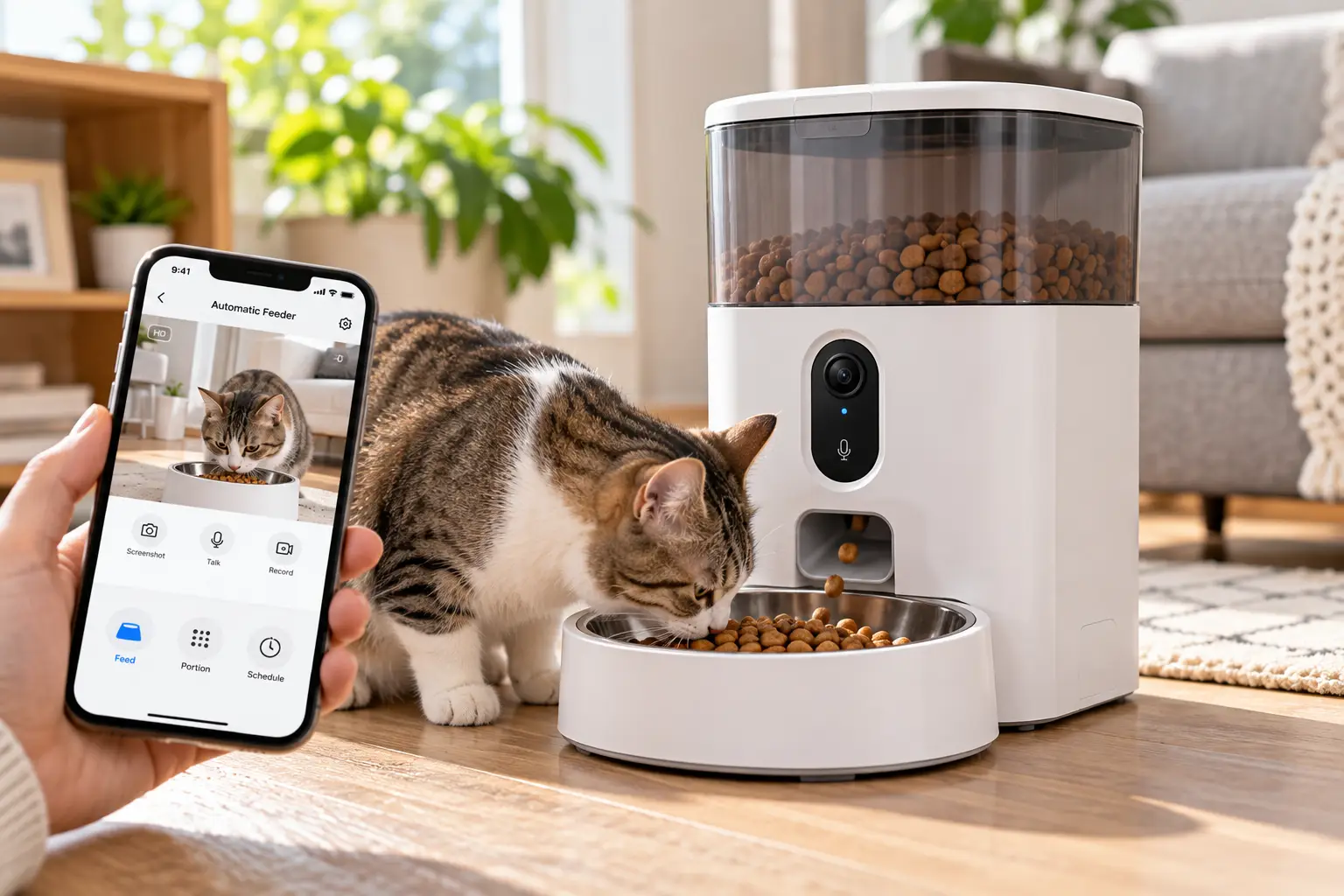
An automatic feeder with camera is a programmable food dispenser that releases measured portions of dry food on a schedule while a built-in camera streams the bowl area to your phone. Most models add night vision, two-way audio, motion alerts, and app control so you can trigger a “feed now” meal remotely.
Under the hood, every model juggles three systems, and understanding them makes the product picks below much easier to judge:
- ⚙️ The dispenser. A sealed hopper (usually 3 to 7 liters) feeds a rotor or auger that measures each portion. A desiccant pack fights humidity so kibble stays crunchy.
- 📷 The camera and connection. The camera talks to an app over your home Wi-Fi. Some models store clips in the cloud (often for a fee), others on a microSD card you own.
- 🔋 The power plan. Nearly all run on a wall adapter, and the better ones keep the schedule alive during an outage with backup batteries or a built-in rechargeable cell.
It also helps to know what this category is not. A treat-tossing pet camera flings snacks across the room but doesn’t manage meals. And almost every smart pet feeder with camera in this guide is built for dry kibble (a few also accept freeze-dried bits), so wet-food households need a different tool entirely.
Automatic Feeder with Camera Quick Comparison (2026)
Short on time? This snapshot lines up all seven picks by price tier, camera hardware, and the one feature that sets each apart. Price ranges reflect what we saw at the time of writing; prices change often, so always check the current listing.
| Model | Price range | Camera | Pets served | Standout feature | Best for |
|---|---|---|---|---|---|
| PETLIBRO Granary Smart Camera Feeder | ~$100–$140 | 1080p, 145° view, night vision | 1 | 5L twist-lock hopper | Most single-pet homes |
| PETLIBRO Granary 2 Vision | ~$150–$190 | 1080p AI camera, night vision | Recognizes up to 10 cats | Built-in scale tracks intake | Health and weight tracking |
| PETKIT YumShare Solo with Camera | ~$90–$140 | 1080p, 140° view, IR | 1 | AI sorts clips by activity | Small apartments |
| PETKIT YumShare Dual-Hopper 2 | ~$150–$180 | 1080p, 140°, facial recognition | 2+ | Two hoppers, two foods | Mixed or special diets |
| WOPET Heritage View HV10DP | ~$100–$160 | 1080p, 160° view, tilting lens | 2 (two bowls) | microSD local recording | Two pets, no subscription |
| oneisall WF-63 | ~$90–$135 | 1080p, night vision | 1 | 6L hopper, dual-band Wi-Fi | Long weekends away |
| Faroro 3MP Camera Feeder | ~$45–$70 | 3MP, 110° view, IR | 1 | Sharpest image per dollar | Tight budgets |
Looking at the table, the price gap is mostly about intelligence, not image quality. The Faroro 3MP Camera Feeder actually has the highest-resolution sensor here, yet it costs a fraction of the PETLIBRO Granary 2 Vision, because you’re paying the premium for pet recognition and intake measurement, not pixels. If you just want to see the bowl, the budget and mid-range picks are plenty; if you need to know which pet ate how much, the AI tier earns its price.
💬 Found a favorite? One click on a highlighted name shows current pricing and real owner reviews, and helps other shoppers make an informed choice too! 😊
Top 7 Automatic Feeder with Camera Picks: Expert Analysis
Every model below is a real product sold to US shoppers. The ranking weighs feeding reliability first, camera usefulness second, and smart extras third, because a gorgeous video feed of an empty bowl helps nobody.
1. PETLIBRO Granary Smart Camera Feeder — best all-around value
The PETLIBRO Granary Smart Camera Feeder earns the top slot because it nails the boring essentials before it shows off.
Its 5-liter hopper twist-locks shut and, per PETLIBRO, handles kibble from roughly 2 to 15 mm, which covers most adult cat foods and small-breed dog formulas. The 1080p camera sits directly above the stainless steel tray with an ultra-wide 145-degree view and infrared night vision, so you see the bowl and whoever is wandering toward it, even at 3 a.m. Motion and sound alerts ping your phone when something happens near the feeder.
Based on comparing the specs, this is the safe default for one cat or one small dog. The app handles detailed schedules, and live viewing works out of the box, while recorded playback requires PETLIBRO’s paid Video Cloud plan. That’s the trade-off to weigh: great hardware, but history costs extra.
Owner sentiment is positive but not flawless. Amazon reviewers broadly praise the camera clarity and dependable scheduled dispensing, while Reddit threads report intermittent streaming hiccups, and some owners mention occasional jam-sensor pauses and a base that can slide when bumped.
Pros:
- ✅ Wide 145-degree view captures the whole feeding area
- ✅ Sealed twist-lock hopper keeps kibble fresh longer
- ✅ Mature app platform from an established feeder brand
Cons:
- ❌ Clip playback requires a paid cloud subscription
- ❌ Some owners report occasional live-stream dropouts
💰 Typically in the $100–$140 range: excellent value for a proven, well-supported platform.
2. PETLIBRO Granary 2 Vision — smartest pick for health tracking
The PETLIBRO Granary 2 Vision is the first feeder here that tells you not just when food dropped, but how much your cat actually ate.
Its headline feature is a built-in scale under the tray. By weighing what’s left, it estimates intake, eating duration, and eating speed, then charts trends daily, weekly, and monthly. The AI camera recognizes up to 10 cats and logs each meal to the right profile. You can run Scheduled Mode, or Smart Refill Mode, which tops up small fresh portions until a daily cap is reached. A rechargeable backup battery covers power outages.
What most buyers overlook: a sudden appetite drop is often an early sign of illness, and this is the one feeder that can quantify it. In its hands-on review, TechCrunch’s Granary 2 coverage also flags the catch: deeper health tracking requires a Petlibro Care plan (around $60 a year), and cloud recording is a separate Video Cloud plan (around $120 a year).
Because the series launched in fall 2026, long-term owner reviews are still thin, so treat durability as unproven for now.
Pros:
- ✅ Built-in scale measures real consumption, not just dispensing
- ✅ Recognizes and logs up to 10 individual cats
- ✅ Rechargeable backup battery keeps meals on schedule
Cons:
- ❌ Best health features sit behind yearly subscriptions
- ❌ Too new for proven long-term reliability data
💰 Listed around $190 at launch, so check the current price; worth it if health data matters more than budget.
3. PETKIT YumShare Solo with Camera — compact AI-sorted highlights
The PETKIT YumShare Solo with Camera packs a surprisingly clever camera into a counter-friendly footprint.
The 3-liter (12-cup) hopper holds roughly 15 days of food for an average adult cat, according to PETKIT. Its 1080p camera has a 140-degree lens and infrared night vision, and AI automatically sorts captured motion into Feeding, Eating, and Pet Visiting clips. In practice, that means you can scroll a tidy timeline instead of scrubbing through hours of footage. A “Triple Fresh-lock” system (desiccant box, sealing ring, auto-closing outlet) protects kibble, and PETKIT says it also handles freeze-dried food.
This is the pick for apartment dwellers and single-cat homes who want smart highlights without a giant appliance. Two caveats: it runs on 2.4 GHz Wi-Fi only, and PETKIT notes some services require in-app purchases.
Review sentiment on Chewy and Walmart is broadly positive about the camera and schedule reliability, though some owners report needing to move the feeder closer to the router during Wi-Fi pairing.
Pros:
- ✅ AI sorts footage into easy-to-browse activity clips
- ✅ Compact size fits small kitchens and counters
- ✅ Handles both kibble and freeze-dried food
Cons:
- ❌ 2.4 GHz-only Wi-Fi limits router flexibility
- ❌ Smaller hopper means more frequent refills
💰 Usually between $90 and $140: strong value for single-pet homes that want smart clips.
4. PETKIT YumShare Dual-Hopper 2 — two foods, one smart bowl
The PETKIT YumShare Dual-Hopper 2 solves a problem most feeders ignore: pets that need two different foods.
Its 5-liter (21-cup) capacity is split into two hoppers, each programmable for 1 to 10 portions per meal, across up to 10 meals a day. That lets you blend a weight-control kibble with a regular formula, or rotate a topper without hand-mixing. The 1080p, 140-degree camera adds facial recognition to identify individual cats, and dual-band Wi-Fi (2.4 and 5 GHz) gives you more router options than the Solo. The bowl is 304 stainless steel.
Here’s what to weigh: “dual hopper” is not “dual bowl.” Everything lands in one tray, so it customizes the food, not who eats it. For a strict separate-diet household, pair it with careful scheduling or consider a microchip-access bowl.
Owner feedback on PETKIT’s own store is positive about design and programming, though at least one reviewer notes the device needs a membership to unlock its full potential. Independent long-term reviews are still limited.
Pros:
- ✅ Two hoppers allow custom food blends per meal
- ✅ Facial recognition logs individual cats’ visits
- ✅ Dual-band Wi-Fi improves connection flexibility
Cons:
- ❌ Single bowl can’t stop food stealing
- ❌ Some features require a paid membership
💰 Generally in the $150–$180 range: worth it only if you genuinely need two foods.
5. WOPET Heritage View HV10DP — two bowls, no subscription
The WOPET Heritage View HV10DP is the subscription-skeptic’s choice for a two-pet home.
The 1080p camera offers a 160-degree wide angle (the widest here) plus a lens that tilts about 70 degrees vertically, so you can aim it at the bowls or the room. It connects on 5 GHz or 2.4 GHz Wi-Fi, includes night vision and two-way audio, and records to a microSD card. That local storage is the big deal: your clips live on hardware you own, with no monthly fee. Two stainless steel bowls split each portion between pets.
Based on the design, this suits two cats (or two small dogs) eating the same food. The split happens at dispense time, so it can’t stop a faster eater from cleaning out both bowls, but the camera will at least show you who’s doing it.
Aggregated review summaries describe WOPET camera feeders as reliable and easy to use, with two-way audio as a favorite feature. Detailed, verified US review data specifically for the HV10DP was limited in our research, so read current Amazon reviews before buying.
Pros:
- ✅ microSD recording avoids recurring cloud fees
- ✅ Widest 160-degree view with an adjustable tilting lens
- ✅ Two bowls serve two pets at once
Cons:
- ❌ Both bowls receive the same food
- ❌ Less verified long-term review data available
💰 Typically between $100 and $160: great long-term value since recordings are free.
6. oneisall WF-63 — biggest hopper for long weekends
The oneisall WF-63 prioritizes capacity, which is exactly what frequent travelers need.
Its 6-liter (25-cup) hopper is the largest among the single-bowl picks in this guide, translating to fewer refills and more cushion for a long weekend. The 1080p HD camera includes night vision for low-light monitoring, and dual-band Wi-Fi (5 GHz and 2.4 GHz) means it can sit on whichever band is strongest in your kitchen. On paper, that dual-band support is a quiet reliability win: a feeder that keeps dropping off a congested 2.4 GHz network is a feeder you stop trusting.
Who’s it for? Owners of one cat or a small dog who travel often and value capacity over AI tricks. It’s a straightforward camera feeder, not a health tracker.
At the time of writing, its Walmart listing shows a mid-4-star average across a few hundred reviews. We couldn’t verify consistent long-term complaint themes, so check the latest reviews for recent firmware or app feedback.
Pros:
- ✅ Large 6L hopper means fewer refills
- ✅ Dual-band Wi-Fi helps keep connections stable
- ✅ Night vision supports round-the-clock check-ins
Cons:
- ❌ No AI recognition or intake tracking
- ❌ Less independent review coverage than bigger brands
💰 Usually in the $90–$135 range: solid value for capacity-focused buyers.
7. Faroro 3MP Camera Feeder — sharpest camera on a budget
The Faroro 3MP Camera Feeder proves you don’t need to spend big for a genuinely clear picture.
Its 3MP sensor out-resolves the 1080p cameras on pricier models, paired with infrared night vision and a 110-degree view. The 4-liter (17-cup) hopper supports up to 8 scheduled meals a day, and it adds motion alerts, a low-food sensor, dual-band Wi-Fi, and microSD recording (cards up to 128GB). The narrower 110-degree lens is the trade-off: it frames the bowl tightly, so you’ll see your pet eating, not the whole room.
This is the pick for budget-conscious first-timers who want to confirm meals and say hi through the speaker. Skip it if you need AI logs or two-pet management.
Review volume is modest; at the time of writing, its Walmart listing averages just under 4 stars from a few dozen reviews. One independent roundup flagged SD card playback quirks and noted that portion sizing takes some manual calculation.
Pros:
- ✅ 3MP camera delivers the sharpest image here
- ✅ Low-food sensor warns before the hopper empties
- ✅ Local microSD storage with no required subscription
Cons:
- ❌ Narrower view shows less of the room
- ❌ Some reports of SD card playback glitches
💰 Roughly $45–$70: the best entry point into camera feeders.
Head-to-Head: Top 7 Feature Comparison
| Model | Camera | Smart features | Bowl setup | Best for |
|---|---|---|---|---|
| PETLIBRO Granary Smart Camera Feeder | 1080p, 145° | Motion and sound alerts | 1 hopper, 1 bowl | Reliable everyday feeding |
| PETLIBRO Granary 2 Vision | 1080p AI | Pet ID, scale-based intake | 1 hopper, 1 bowl | Weight and health tracking |
| PETKIT YumShare Solo with Camera | 1080p, 140° | AI clip categories | 1 hopper, 1 bowl | Small spaces |
| PETKIT YumShare Dual-Hopper 2 | 1080p, 140° | Facial recognition | 2 hoppers, 1 bowl | Two-food diets |
| WOPET Heritage View HV10DP | 1080p, 160°, tilt | Motion alerts, microSD | 1 hopper, 2 bowls | Two pets, no fees |
| oneisall WF-63 | 1080p | Dual-band Wi-Fi | 1 hopper, 1 bowl | Frequent travelers |
| Faroro 3MP Camera Feeder | 3MP, 110° | Low-food sensor, microSD | 1 hopper, 1 bowl | Budget buyers |
The pattern is clear once you read across the rows: bowl setup, not camera resolution, should drive your shortlist. A two-pet home is choosing between the WOPET Heritage View HV10DP (two bowls, same food) and the PETKIT YumShare Dual-Hopper 2 (two foods, one bowl), and those solve completely different problems. Single-pet owners can then decide whether the PETLIBRO Granary 2 Vision‘s intake data is worth its subscriptions over the simpler PETLIBRO Granary Smart Camera Feeder.
✨ Ready to stop guessing about mealtime?
🔍 Take your pet’s feeding routine to the next level with this carefully curated lineup. Click any highlighted model to check current pricing and availability on Amazon, and pick the feeder that gives you real peace of mind every time you step out the door! 🐱🐶
Getting Started: Your First 30 Days with an Automatic Feeder with Camera
The first month decides whether your new feeder becomes a trusted helper or an expensive kibble bin. Here’s a practical rollout plan that Amazon listings don’t spell out.
🗓️ Days 1–3: Set up before you rely on it
- Place it near your router, not just near the old bowl. Weak Wi-Fi causes most “offline” alerts. Check signal strength in the app before you commit to a spot.
- Weigh one portion. Dispense a single portion onto a kitchen scale. Brands define “portion” differently (often 5 to 12 grams), and your kibble’s density changes the real number.
- Do the math against your vet’s calorie target. Divide your pet’s daily food amount by the per-portion weight, then spread it across meals.
🐾 Days 4–14: Run it side by side
Keep the feeder running while you’re home. Watch through the app and in person, so you can tell whether alerts match reality. Record a short voice “meal call”; many pets learn it within a week, which builds positive association. Anxious cats may need the old bowl beside the feeder for a few days.
🔁 Days 15–30: Trust, but verify
Now do a real test: a full workday away, checking the camera at each meal. Then try an overnight before any long trip. Swap the desiccant pack on the schedule your model recommends, and hand-wash or dishwasher-clean the bowl weekly; oily kibble residue goes rancid and can put picky cats off their food.
Common first-month mistake: filling the hopper to the brim on day one. Fill it halfway so stale food doesn’t sit for weeks while you’re still fine-tuning portions.
Real-World Scenarios: Matching the Right Feeder to Your Home
Specs only matter in context. These three common household profiles show how the picks map to real routines.
👩💼 Profile 1: The commuting renter with one cat
You work 10-hour days, live in a one-bedroom apartment, and want to spend around $100. Your cat eats twice daily, and counter space is precious. The PETKIT YumShare Solo with Camera fits here: compact footprint, AI clips that let you check breakfast in 10 seconds on the train, and enough capacity for long weekends. If you’d rather skip in-app purchases, the Faroro 3MP Camera Feeder does the core job for less.
👨👩👧 Profile 2: The two-cat family with one cat on a diet
One cat is a lean grazer; the other is creeping toward a vet-flagged weight problem. Budget is flexible, but you want proof of who ate what. The PETLIBRO Granary 2 Vision is built for this: it identifies each cat and estimates intake with its scale. Factor in the Care subscription, and talk to your vet about target numbers before you start.
✈️ Profile 3: The frequent traveler with two easygoing pets
You travel two or three weekends a month, have two cats (or two small dogs) on the same food, and hate monthly fees. The WOPET Heritage View HV10DP covers both bowls and records to microSD. If you only have one pet but take longer trips, the larger hopper on the oneisall WF-63 wins.
Bottom line: start with your household’s biggest worry (forgetting meals, food stealing, weight, or travel), then pick the model that solves that problem first.
Problem → Solution: Fixing the 5 Most Common Camera Feeder Headaches
Even the best smart pet feeder with camera hits snags. These are the issues owners report most, with fixes that actually work.
- 🚫 Kibble jams the dispenser. Usually caused by oversized, oddly shaped, or oily kibble. Check your model’s kibble-size range (the PETLIBRO Granary Smart Camera Feeder lists roughly 2 to 15 mm), wipe oily residue from the rotor, and avoid mixing in soft treats.
- 📶 The feeder keeps going offline. Move it closer to the router, or switch bands. Dual-band models like the oneisall WF-63 can use 5 GHz for speed, but 2.4 GHz reaches farther through walls. A mesh node in the kitchen often ends the problem for good.
- 🐈 One pet steals the other’s food. A camera shows you the culprit but doesn’t stop it. Feed at separate times, place two feeders in different rooms, or step up to a feeder with recognition-based features like the PETLIBRO Granary 2 Vision.
- 💧 Food goes stale or clumps. Replace the desiccant on schedule, keep the hopper out of sunlight and away from the dishwasher’s steam, and buy smaller bags of food.
- 🔔 Notification overload. Motion alerts every time the dog walks past get ignored fast. Narrow alerts to feeding events, missed meals, and low-food warnings only, so the important ones stand out.
How to Choose an Automatic Feeder with Camera
Choosing well comes down to seven questions, asked in the right order:
- How many pets eat from it? One pet means almost any model works. Two pets on the same food point to a two-bowl design; two foods point to a dual-hopper.
- Does anyone need weight management? Feline obesity is common; a peer-reviewed review on PubMed Central puts roughly 25 to 67% of cats in the overweight or obese range. If that’s your pet, a scale-based intake tracker is worth the premium.
- What’s your kibble size? Check the listed range against your food. Oversized or oddly shaped kibble is the number-one cause of jams.
- How long are you away? Multiply daily intake by days away, then add a 50% safety buffer. A 3L hopper suits weekenders; 5L to 6L suits travelers.
- Which Wi-Fi band reaches your kitchen? If your router is far away, a dual-band model gives you options; 2.4 GHz-only models need a solid 2.4 GHz signal.
- Cloud or local recording? Decide whether you’ll pay yearly for clip history or prefer microSD storage you own.
- What happens in a power outage? Look for battery backup that keeps the clock and schedule running, not just a promise of “dual power.”
Answer these honestly and your shortlist usually shrinks to two models within minutes.
Features That Actually Matter (and Ones That Don’t)
Marketing pages love big numbers. Here’s how to cut through them.
✅ Features that genuinely matter
- Field of view over resolution. A 145- or 160-degree lens shows who’s approaching the bowl; a sharp but narrow view can miss the food thief entirely. Past 1080p, extra pixels mostly help when you zoom in.
- Infrared night vision. Cats are crepuscular, most active around dawn and dusk, which is exactly when ordinary cameras struggle.
- Jam and low-food alerts. These are the alerts that actually prevent missed meals. Motion alerts are nice; jam alerts are essential.
- Sealed hopper plus desiccant. Freshness drives acceptance. A pet that refuses stale kibble defeats the whole system.
- Battery backup. A feeder that forgets its schedule after a 2-minute outage is a liability on vacation.
🤷 Features that matter less than you’d think
- “2K” or “3MP” badges by themselves. Your Wi-Fi often compresses the stream anyway, so the difference over 1080p is smaller in daily use than on the box.
- Recorded voice calls. Charming and genuinely helpful for training, but not a reason to pick one model over another; nearly all have them.
- Treat-tossing gimmicks bundled with meal feeding. Fun for the owner, but they complicate portion math.
The smartest buying move is to rank the first list against your situation and treat the second list as tiebreakers only.
Automatic Cat Feeder with Camera vs Automatic Dog Feeder with Camera
Most models market themselves for “cats and small dogs,” but the species difference matters more than labels suggest.
🐱 For cats
An automatic cat feeder with camera should prioritize small portion sizes and frequent meals. Many veterinarians favor splitting a cat’s daily ration into several small meals, which suits feeders that support up to 10 meals a day. Cats also tend to be picky about freshness and bowl material, so stainless steel trays and good desiccant systems pay off. Multi-cat homes benefit most from AI recognition, since cats are notorious for quiet food stealing.
🐶 For dogs
An automatic dog feeder with camera faces different challenges: bigger appetites, bigger kibble, and much stronger noses and paws. Check the maximum kibble size carefully, since many large-breed formulas exceed the typical 12 to 15 mm limit. Capacity matters more too: a 5L hopper that lasts a cat two weeks may only cover a medium dog for a few days. And because determined dogs knock feeders over to get at the hopper, a stable base and locking lid are non-negotiable.
The verdict: every pick in this guide is best suited to cats and small dogs. If you have a Labrador-sized eater, treat these as meal schedulers for small portions, or look for a dedicated large-breed feeder with a larger kibble range.
Camera Feeders vs Traditional Feeding: Is the Upgrade Worth It?
Before spending $100 or more, it’s fair to ask what a camera actually adds over a basic timed feeder or a bowl you fill yourself.
| Factor | Automatic feeder with camera | Basic timed feeder | Manual bowl |
|---|---|---|---|
| Confirms the pet actually ate | Yes, live and recorded | No | Only if you’re home |
| Remote “feed now” | Yes, via app | No | No |
| Portion consistency | High, app-controlled | High, dial-controlled | Depends on you |
| Alerts for jams or low food | Yes, on most models | Rarely | Not applicable |
| Typical price range | ~$45–$190 | ~$30–$60 | Under $20 |
| Best for | Busy owners, travelers, multi-pet homes | Predictable routines | Owners home at mealtimes |
The table makes the real value obvious: you’re not paying for dispensing, which a basic timer already does well. You’re paying for verification, the ability to confirm a meal happened and act if it didn’t. If you’re home at every mealtime, a simple timer is enough; if a missed meal could go unnoticed for 10 hours, the camera earns its place.
Long-Term Cost: Subscriptions, Supplies, and Total Cost of Ownership
The sticker price is only the opening bid. Recurring fees can quietly double what you spend over a few years.
| Cost item | Cloud-based model (example: PETLIBRO Granary 2 Vision) | microSD-based model (example: WOPET Heritage View HV10DP) |
|---|---|---|
| Feeder purchase | Around $190 at list | ~$100–$160 |
| Video recording | Video Cloud plan, around $120 per year | microSD card, roughly $10–$20 one time |
| Health analytics | Petlibro Care plan, from around $60 per year | Not offered |
| Supplies (desiccant, batteries) | A few dollars per year | A few dollars per year |
| Rough 3-year total with all plans | ~$700+ | ~$120–$190 |
Those 3-year totals are illustrative, built from published plan pricing at the time of writing, but the gap is striking. A cloud-dependent feeder can cost several times more than a local-storage model once subscriptions run for a few years. The fair counterpoint: if the intake data catches a health problem early, one avoided emergency vet visit can outweigh the entire subscription bill.
💡 Smart move: buy the feeder, use live view free for a month, and subscribe only if you find yourself genuinely wanting clip history or analytics. Many owners discover live view is all they need.
Privacy, Safety, and Standards for Pet Feeder Cameras
A pet feeder with camera is, at its core, an internet-connected camera pointed at your home. Treat it with the same care you’d give a security camera.
🔐 Privacy and security checklist
- Create a strong, unique app password and turn on two-factor authentication if the app offers it.
- Install firmware and app updates promptly. The FTC’s consumer guidance on buying a smart home stresses checking how connected devices are secured and updated.
- Mind the camera’s angle. Aim it at the bowl, not the whole living room, and avoid placing it where sensitive conversations happen.
- Review sharing settings. Remove family members’ access when it’s no longer needed.
- Prefer local storage if privacy is a top concern. microSD recording keeps footage on hardware you control.
⚡ Physical safety and standards
Look for an adapter marked with a recognized safety listing such as UL or ETL, and an FCC ID on the device, which indicates it was authorized for radio use in the US. Route cords out of reach of chewers, or use a cord protector. Choose BPA-free plastics and stainless steel bowls, and wash the tray weekly. Finally, never treat a camera feeder as a pet sitter for trips longer than a couple of days: water, litter, and health emergencies still need a human check-in.
Automatic Feeder with Camera FAQ
❓ Do I need a subscription to use an automatic feeder with camera?
❓ Can an automatic feeder with camera dispense wet food?
❓ Which is better for a pet feeder with camera: 2.4 GHz or 5 GHz Wi-Fi?
❓ Can one automatic feeder with camera feed two cats on different diets?
❓ How long can I leave my pet with an automatic feeder with camera?
Conclusion: The Right Automatic Feeder with Camera Is the One That Solves Your Biggest Worry
The best automatic feeder with camera isn’t the one with the most pixels or the longest feature list. It’s the one that fixes the specific thing keeping you up at night.
If you want a dependable all-rounder for one pet, the PETLIBRO Granary Smart Camera Feeder remains the smartest starting point. If weight or appetite changes worry you, the PETLIBRO Granary 2 Vision is the only pick here that measures what your pet actually eats, as long as you budget for its subscriptions. Apartment dwellers will appreciate the compact, clip-sorting PETKIT YumShare Solo with Camera, while mixed-diet homes should look at the PETKIT YumShare Dual-Hopper 2. Two pets and a dislike of monthly fees? The WOPET Heritage View HV10DP records locally. Frequent travelers get breathing room from the oneisall WF-63, and first-time buyers can test the waters affordably with the Faroro 3MP Camera Feeder.
Whichever you choose, remember the three habits that matter more than the hardware: weigh your portions, keep the firmware and passwords tight, and give your pet a two-week side-by-side trial before you trust the feeder with a trip. Do that, and you’ll trade mealtime guesswork for a quick glance at your phone and a happy, well-fed pet on the screen. 🐾
✨ Don’t leave mealtime to chance!
🔍 Give your pet the routine they deserve with this carefully curated lineup. Click any highlighted model to check current pricing and availability, and pick the feeder that brings you real peace of mind and keeps your furry family happy and healthy! 🐱🐶
Recommended for You
- Equine Automatic Feeder: 7 Best Picks That Actually Work in 2026
- Automatic Pig Feeder with Timer: 7 Best Picks That Save Time (2026)
- Dog Treat Machine Guide 2026: 7 Best Picks That Actually Work
Disclaimer: This post contains affiliate links. As an Amazon Associate, I earn from qualifying purchases made through these links, at no additional cost to you.
✨ Found this article helpful? Share it with someone who needs it! 💬🤗